18.4.6.4 Output writer
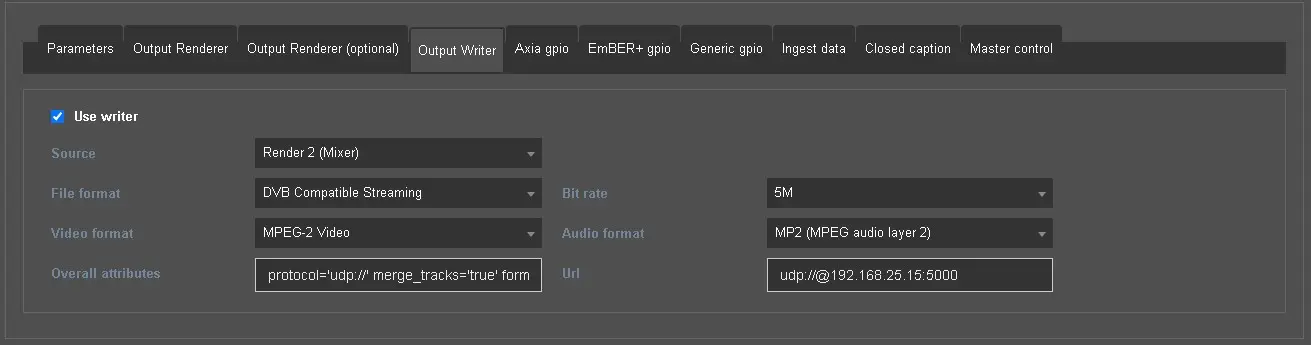
Set here an encoder to perform a parallel streaming of one of the 2 default renders to any desired destination.
output_writer
Use writer: Activate this flag to enable the parameters and start configuring the writer.
Source: Select which default render should be taken as the source of the streaming, Playlist or Mixer.
File format: Set the desired encoding format (MPEG Program Stream, MPEG Transport Stream, RTMP, DVB, UDP...).
Bit rate: Set the bit rate attribute.
Video format: Select the encoder to be used (values may change according to the file format).
Audio format: Select the audio format to use for the encoding (values may change according to the file format).
Overall attributes: Here is displayed the resulting encoding string, which can be customized adding manually further attributes that can't be selected in the parameters.
Url: Set here the destination of the stream (e.g.: udp://@192.168.25.15:5000)
Note: Using a configuration main/backup, the output writer will stream only if the Engine Service is currently running as main. After every main/clone switching, the service which becomes main starts streaming after 6 seconds.
 output_writer