59.4.12 Signiant integration
Signiant is a software solution that provides WAN optimisation for transferring files over large geographical distances (e.g., publishing a video on demand), including various T-workflow tools to aid in file delivery. In Signiant, transfers are managed as job instances based on T-workflow templates (organised in job groups).
Etere can integrate with Signiant to trigger jobs and get progress and status updates. Etere provides the capability of creating custom "Signiant integration" actions to request -via T-workflow- the execution of file transfers based on Signiant jobs for media files stored on Etere metadevices.
Note:
The "Signiant Integration" section is available only if the station has a valid license.
Signiant integration actions allows passing extra variables (e.g. EtereDestinationFile1, EtereDestinationFile2, etc.) to Signiant systems (e.g. to improve balanced operations).
Creating a new action
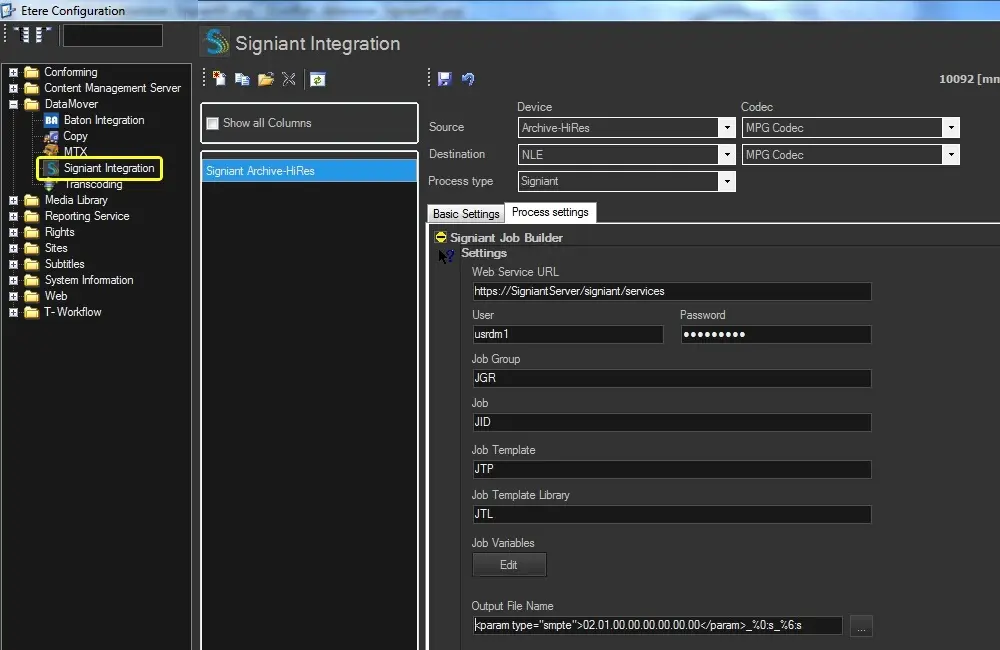
This action can be implemented by pressing the [New] button and compiling all required information as follows:
Signiant_integration
To create this action, you need to compile all necessary data following the procedure detailed below:
1. Press the [New] button or open an existing action, then set the following parameters:
Devices and Codecs
Parameters: Source device & codec
Description: Indicate the metadevice in which files to be transferred are stored, specifying the exact codec (extension) to be processed.
Parameters: Destination device & codec
Description: Leave these parameters blank as they are not required.
Parameters: Process type
Description: Indicates that the current action is a "Signiant".
2. Under the Basic settings tab, compile the parameters regarding the identification and behaviour of the action.
3. Under the Process settings tab, set the parameters that define the execution of the action.
4. Press the [Save] button to apply changes and store the action in the database.
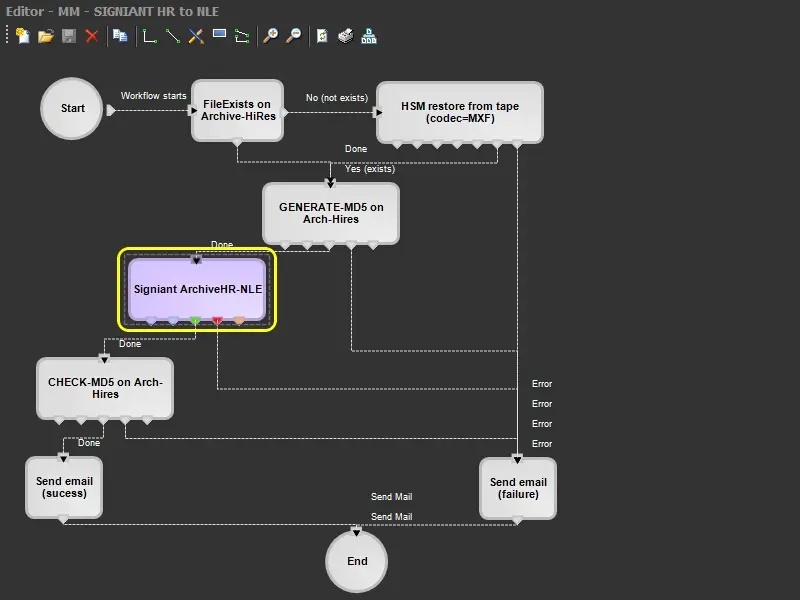
5. Use the T-Workflow Designer to include the action in a T-workflow (e.g. to transfer files to external destinations through a Signiant system):
Signiant_system
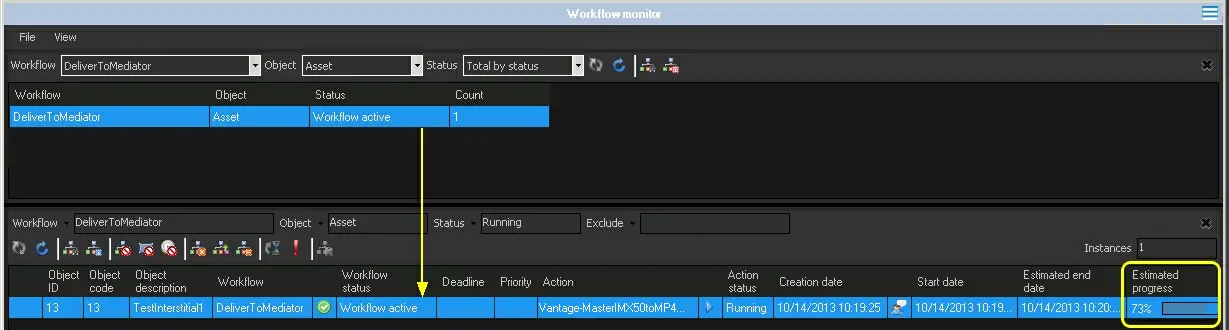
6. During the transfer, the completion progress can be monitored from the "Workflow Monitor":
completion_progress
NB: Besides the Workflow Monitor, a detailed report can also be consulted from the Media Library under the Workflows tab.
7. Once the transfer is complete, the new media will appear in the Media Library under the Media tab of the asset.
 Signiant_integration
 Signiant_system
 completion_progress