65.3.5.1 Configure RTMP Streaming
Real Time Messaging Protocol (RTMP) is used for high-speed transmission of audio, video and data between a media player and media server. You can use Etere ETX resource to make RTMP streaming to a media server.
Some of the media servers used for RTMP streaming are:
- Wowza Media Server
- Adobe Media Server
- Youtube
- Akamai Entry Point
- Justin TV
- Launch ETX Toolbox Writer ETX Writer
- On the left panel, select input in the Extern Source to specify the source of the video input:
- Live Source: select this option to playout from live input.
- File: select this option to playout from a video file, you would need to enter the path to the file.
- BG: select this option to display the background colour
- Next, click the Init Device button to initial the playout from the selected source.
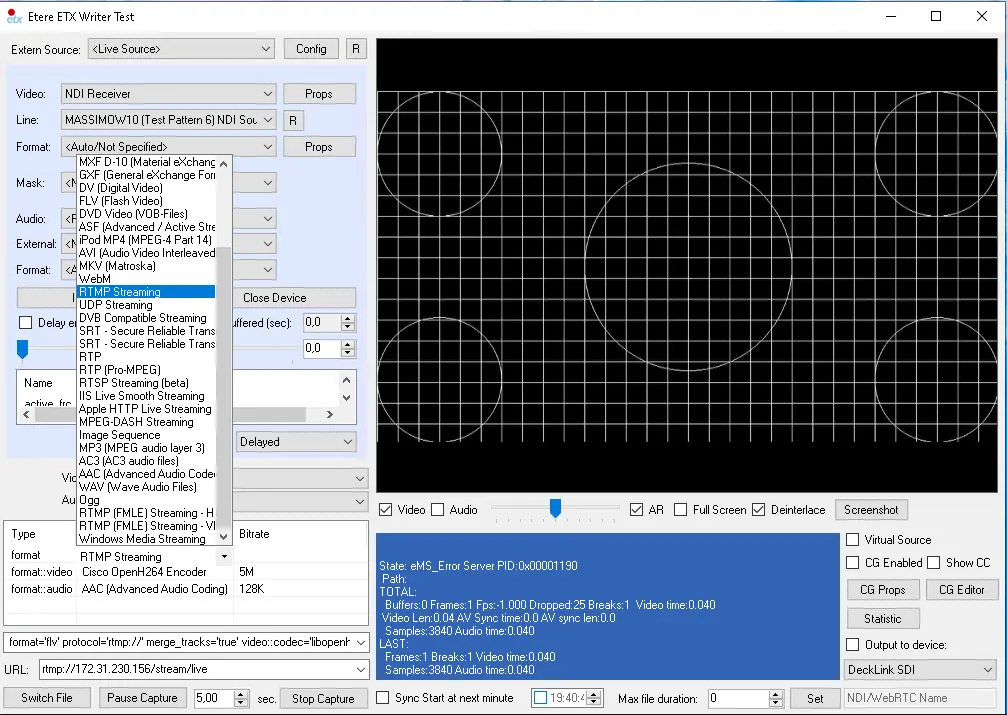
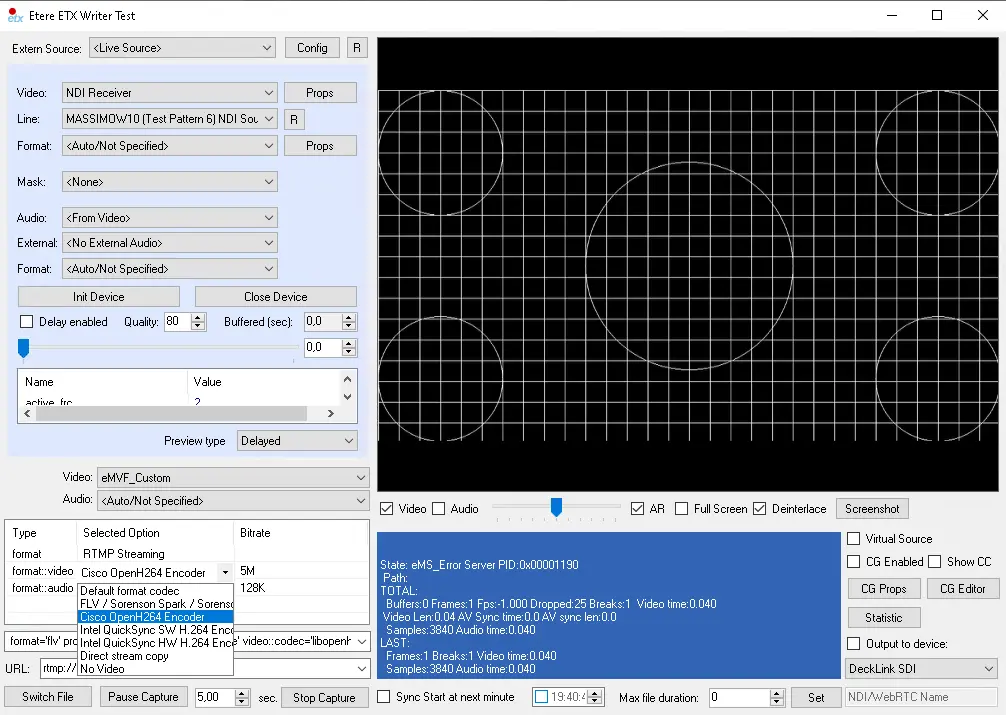
- To enable streaming with RTMP, first click on the Auto Select column in the Format row to list all streaming protocols. Select RTMP Streaming from the list.
RTMP Streaming
- Next, select the video codec and audio codec.
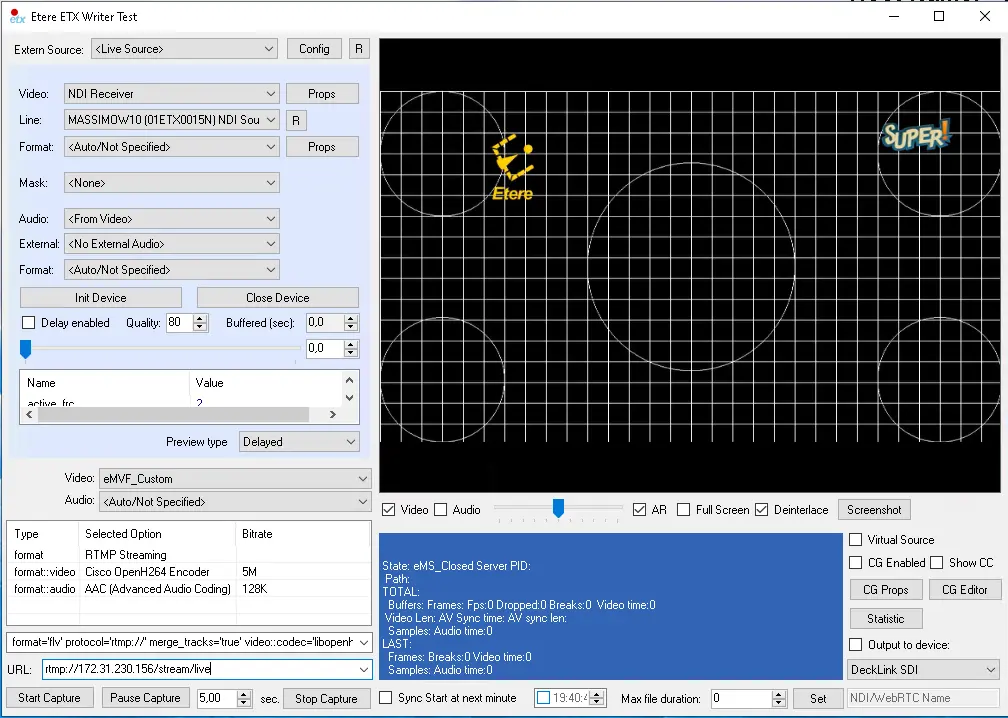
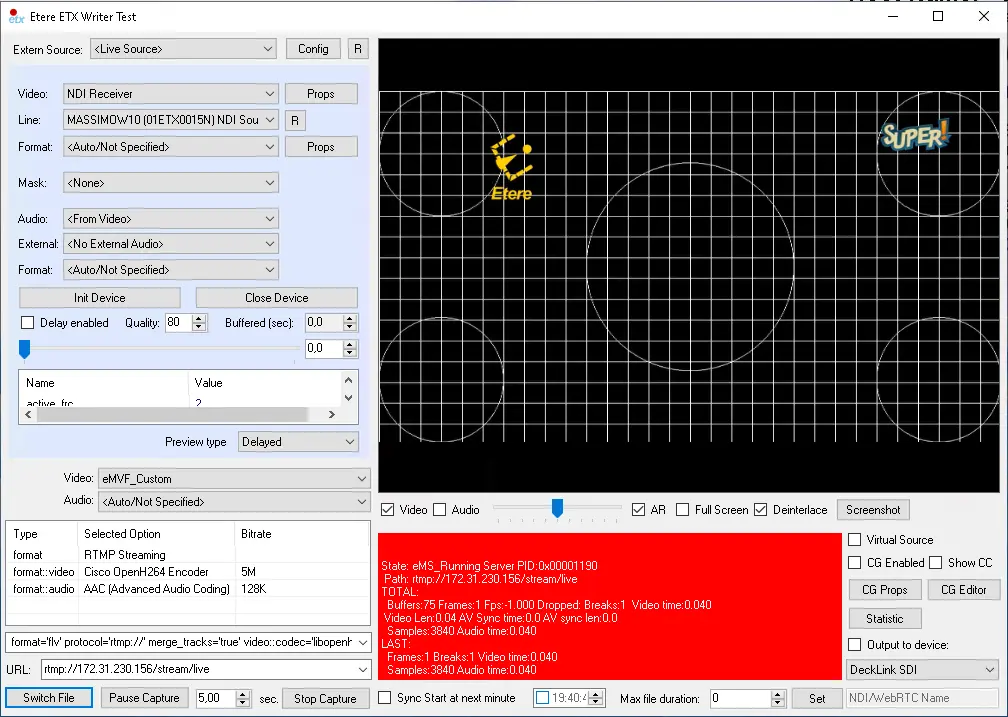
4727_Writer_sample_1 - Copy the URL of the media server and paste it on the URL parameter located in the left bottom panel. After which, click the “Start record” button to start the recording with RTMP streaming.
Writer sample 2
The URL for RTMP looks as follow:
rtmp://[Medis Server IP]:[port]/[application name]/[stream_ID]Where:
- Media Server IP: the IP address of the media server (i.e. the server IP address of the Wowza media server or adobe media server was installed.)
- Port: network port number used for streaming, by default RTMP used port 1935.
- Application name: the name of the application running in the media server.
- Stream_ID: the stream ID in the media server.
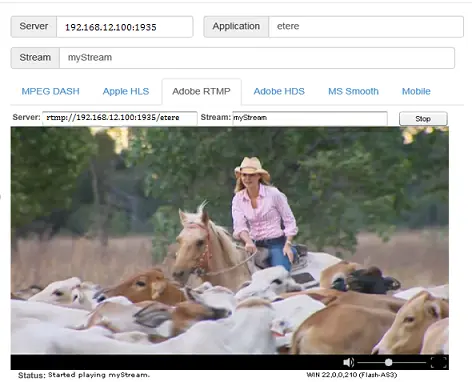
- Here is an example of RTMP streaming in Wowza Streaming Engine where it displayed the elements described in step 5.
Streaming Engine
You could also plan for streaming of TTL ("Time to Live") data packet before discarding the packet from the network, simply add the “?ttl=<value>” in the URL address as:
“rtmp://Server IP:port?ttl=value”
where the value for “TTL” is defined in seconds, e.g. 3600 (1 hour), 7200 (2 hours), 86400 (24 hours), etc.
To ensure a secure streaming process, use one of the following approach when specifying the target URL:
-rtmp://[Login]:[Password]@[Media Server IP]:[port]/[application name]/[stream_ID]
OR
-rtmp://[Media server IP]:[port]/[application name]?username=password/[stream_ID]
OR
-rtmp://[Media Server IP]:[port]/[application name] flashver=FMLE/3.0\20(compatible;\20FMSc/1.0) Live=true pubUser=[Login] pubPasswd=[PASSWORD] playpath=[stream_ID]
 Streaming_Engine
 rtmp_streaming_set
 rtmp_stream
 rtmp_streaming_profile
 rtmp_stream_codec