Radio Live Engine - Desktop version (EOL)
91.6.1.5 Output Renderer Optional
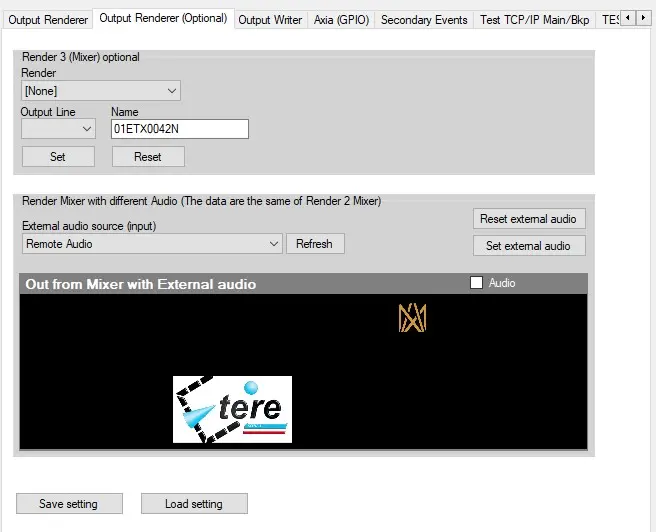
Here you can set an optional Render 3 (Mixer) in a similar way described in chapter 150.6.4.0 with these options:
Renderer - Select the type of renderer (NDI , WebRTC)
Name - Name associated to the process
Render Mixer with different Audio
In this section is possible to configure an external audio source that will replace the audio from Mixer.
The available audio physical sources are automatically detected and listed in the External audio source (input) combobox.
In order to simulate the external audio and see what is the mixer playing, in this section is available also the buttons Set external audio and Reset external audio, as well as a preview window showing the output from mixer.
 external_audio_engine