18.4.7 Device Controller
In order to be correctly managed by other services, devices must be controlled by the Etere Device Controller service.
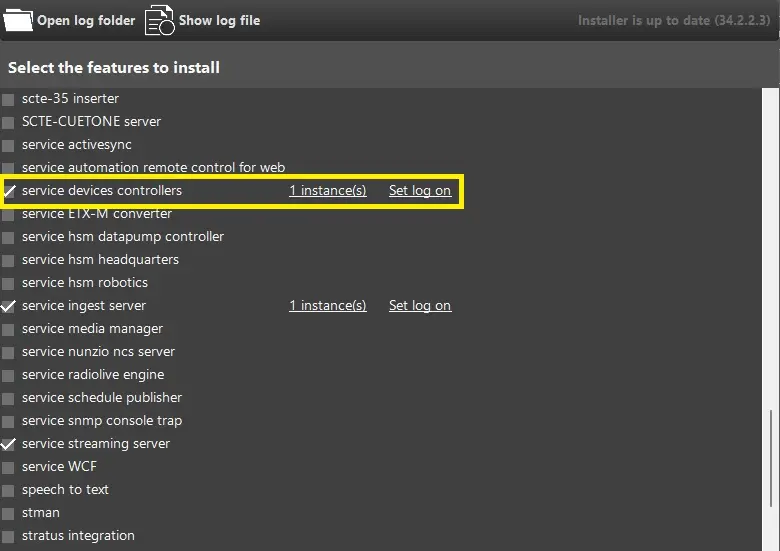
It can be installed from its related menu on the Etere Update, selecting "service device controllers" option and assigning the proper user for the service log on
Install_device_controller
On the User Preferences section in EtereWeb will be available the Device Controller section, listing all the servers where the new service has been installed, meaning that each one can be configured.
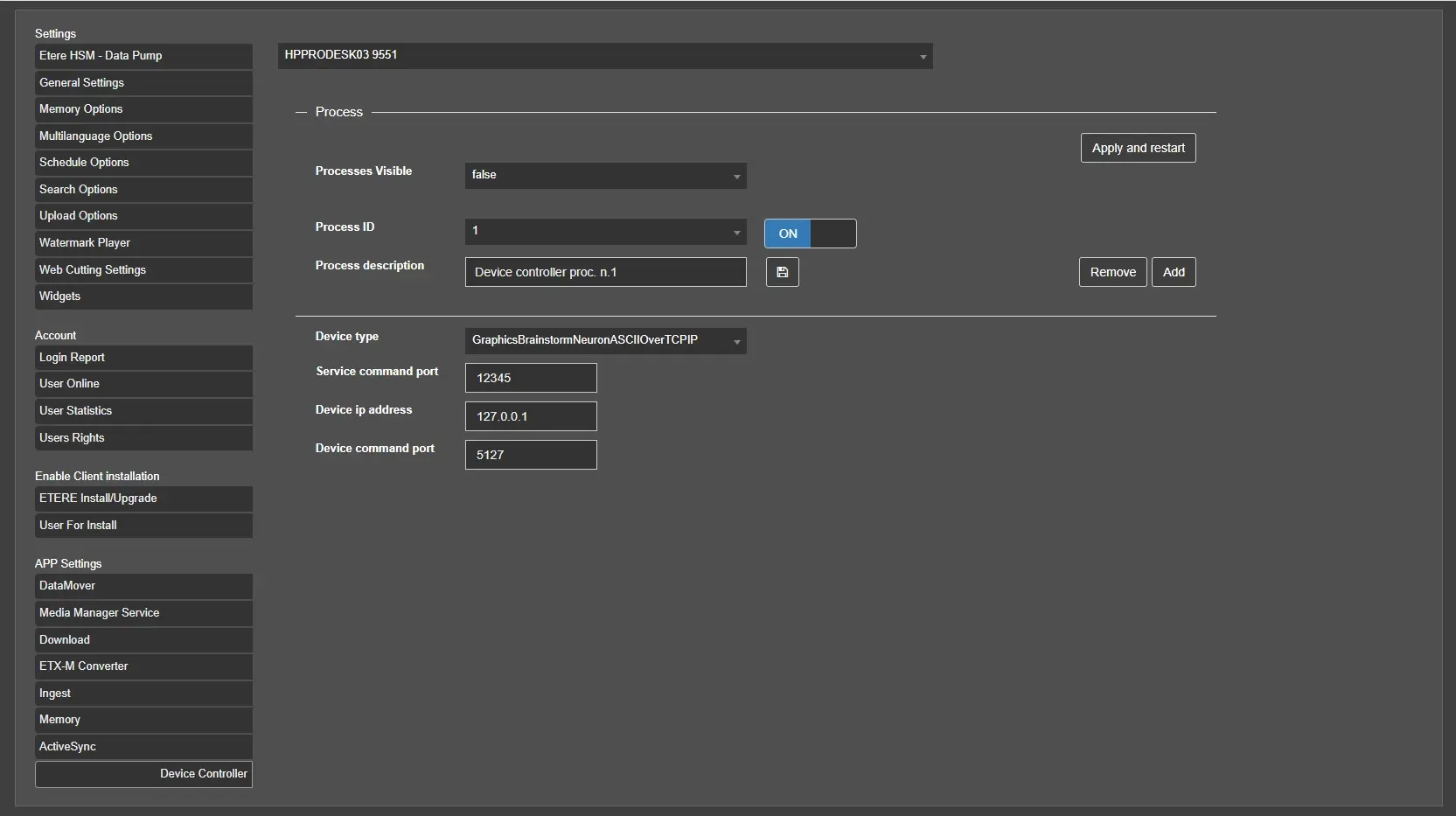
Selecting from the first drop down menu it is possible to choose each server, and pressing the ADD button it is possible to start choosing settings for the service:
Process ID: ID given for each service running on server.
Process description: Enter the description of the service process.
Device type: Each service can use one of the drivers available on the list:
- GraphicsBrainstormNeuronASCIIOverTCPIP
- GraphicsBrainstormNeuronCIIOverTCPIP
- GraphicsClassXCGRemote
- RouterHarrisPlatinumOverTCPIP
- RouterBlackmagicVideohubOverTCPIP
Service command port: Port to be used to communicate with the Etere Device Controller service.
Device IP Address: IP address of the device to be controlled.
Device command port: Command port to be used to communicate with the device.
Device_controller_settings
 Install_device_controller
 Device_controller_settings