79.8.1 Install Nunzio ETX Playout
In order to start Etere Nunzio ETX Playout installation, as any other Etere Modules available, we need to start Etere Install\Etere Update Module.
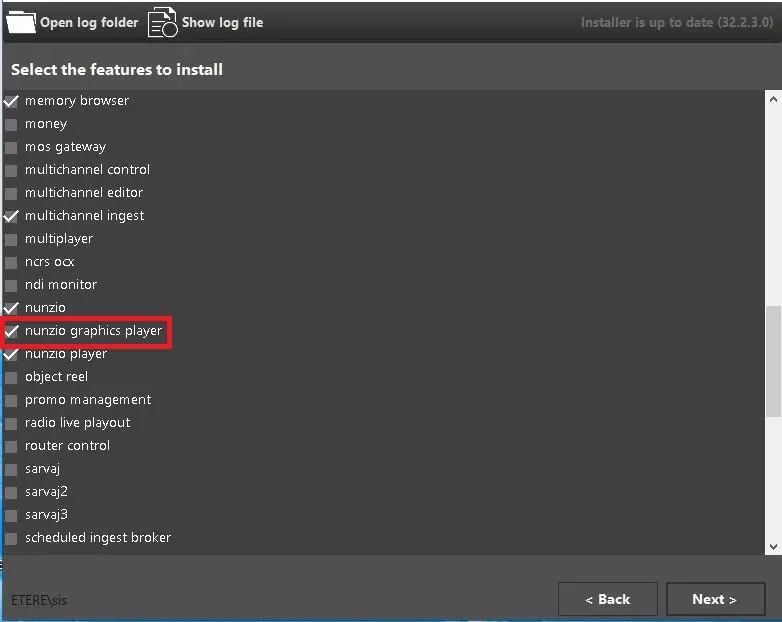
From Etere Install module, in the Select the feature to install, select the Nunzio ETX Playout Check Box and press next untill the isntallation process actually begin.
features
etere_install_resume_installation
etere_install_in_progress
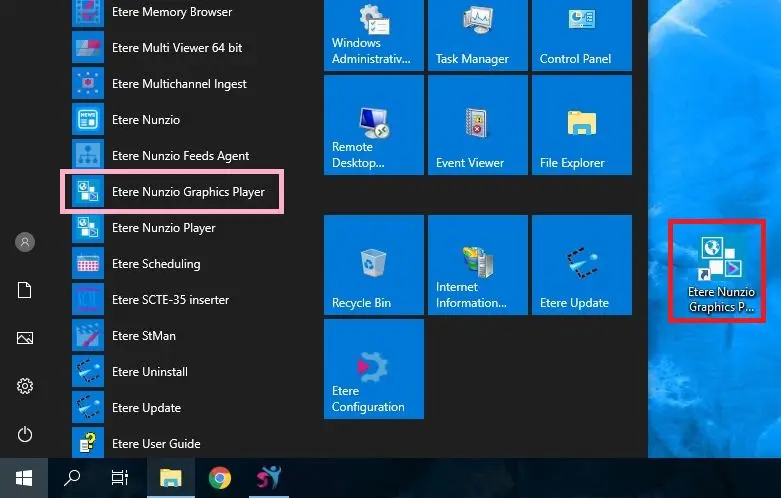
Once the installation is done, the Nunzio ETX Playout Icon would be eventually showed up in Windows, depending on the given system configurations.
7861_nunzio_graphics_player_icons.JPG
Once the installation process is complete, we can execute Etere Nunzio ETX Playout in order to starts its configuration.
At the first start-up of the software, the following form would eventually appears.
first_config
 features
 nunzio_graphics_player_icons