Configure Streaming
65.3.5.2 Sending and receiving RTMP streaming
By relying on Etere ETX Toolbox Writer and Etere ETX Toolbox Player, is possible to send RTMP streaming from Etere to a RTMP Streaming Server, as well as receive RTMP streaming through remote URL and receive it within the Etere ecosystem, as illustrated in the diagram below.
RTMP_streaming
The following steps describe how to send and receive RTMP Streaming in Etere:
- Launch the player and configure the RTMP streaming to RTMP Streaming Server by selecting “RTMP Streaming” format and specifying the remote URL address of the RTMP Streaming Server. Click the Start Capture button in the lower panel to start sending RTMP streaming to the Streaming Server.
Rtmp_streaming_profile
- In the RTMP Streaming Server, the RTMP streaming display the elements described in previous step.
- In order to receive the RTMP streaming from the RTMP Streaming Server, click on the Add URL tile button in the player and enter the URL address to connect to the RMTP Streaming Server. Once the connection is established, click the Play button to start receiving RTMP streaming from the RTMP Streaming Server.
7367_add_stream_receive
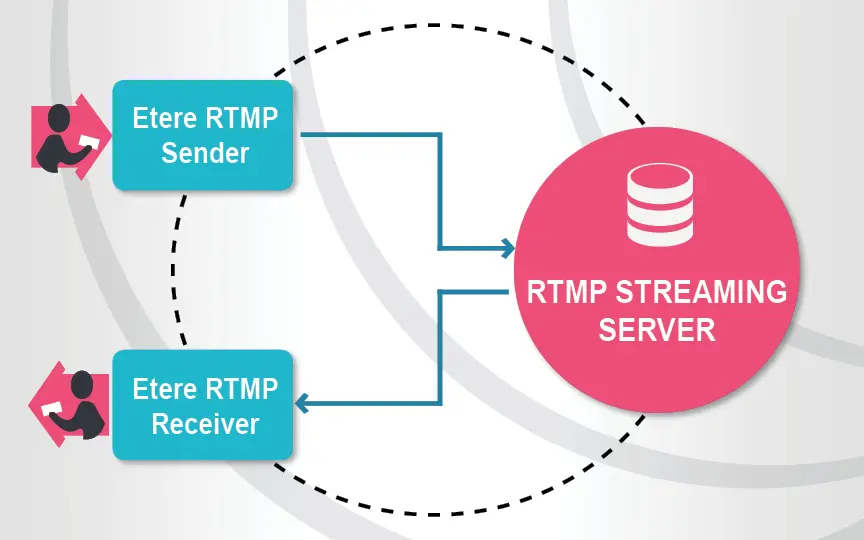 RTMP_streaming
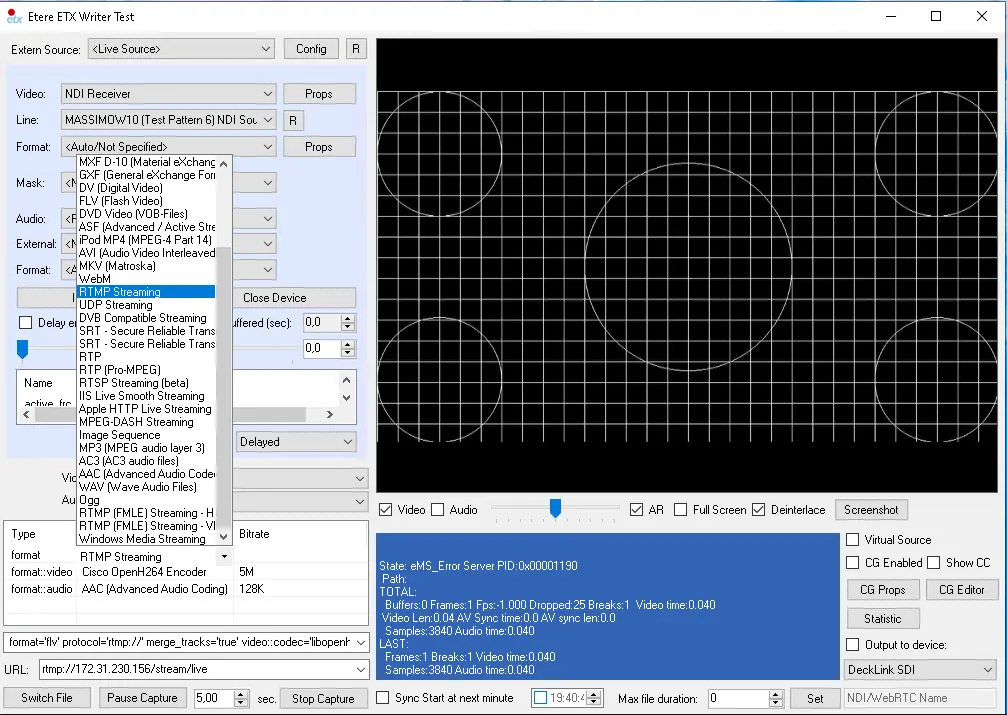 rtmp_streaming_profile
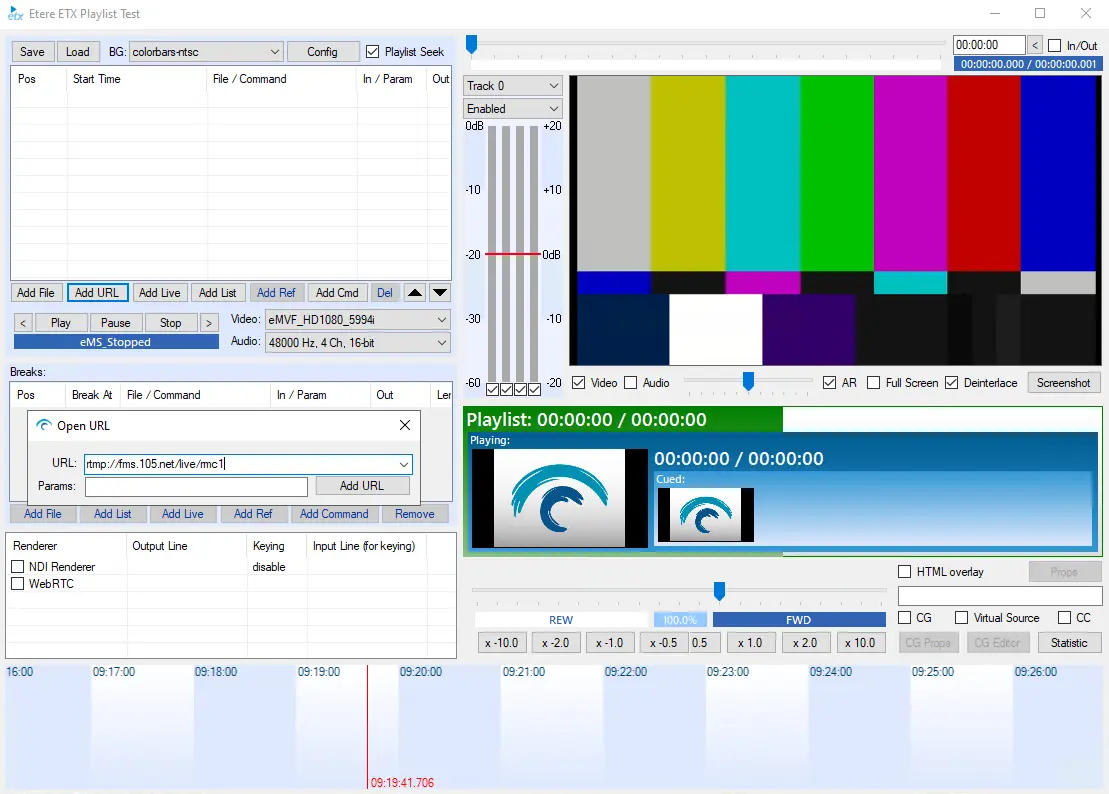 add_stream_receive