79.4.5.1 Settings
The settings page lets you manage or create platform profiles to be used inside Etere Nunzio, for manual publication on social media platforms or automatic when the story goes on-air in the rundown.
PLATFORM SETTINGS menu:
New: creates a new platform profile
Edit: edits an existing platform profile
Configuration: some social media platforms require additional configuration (check platform_example)
Delete: delete the selected platform profile
Save: save current settings
Cancel: cancel the last action
Refresh: refresh the page
PLATFORM PROFILE
menu:
Configuration: some social media platforms require additional configuration (check platform_example)
profile:
Name: name of the platform
Description: description of the platform and its purpose
Working: check this option to enable the platform for Etere usage
Platform type: select , if needed , the platform template from which the profile inherits its properties
Site: social platform website
Icon: icon to be displayed across Nunzio enviroment
Restore: select, if needed , the restore workflow to be started
Auto Publish on platform when story goes onair: everytime a story goes onair, it is also forwarded to any platform with this option enabled (immediately or with a set delay of minutes)
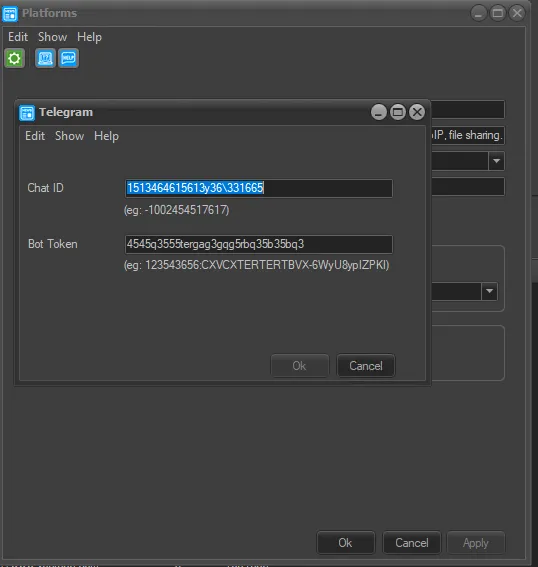 configuration
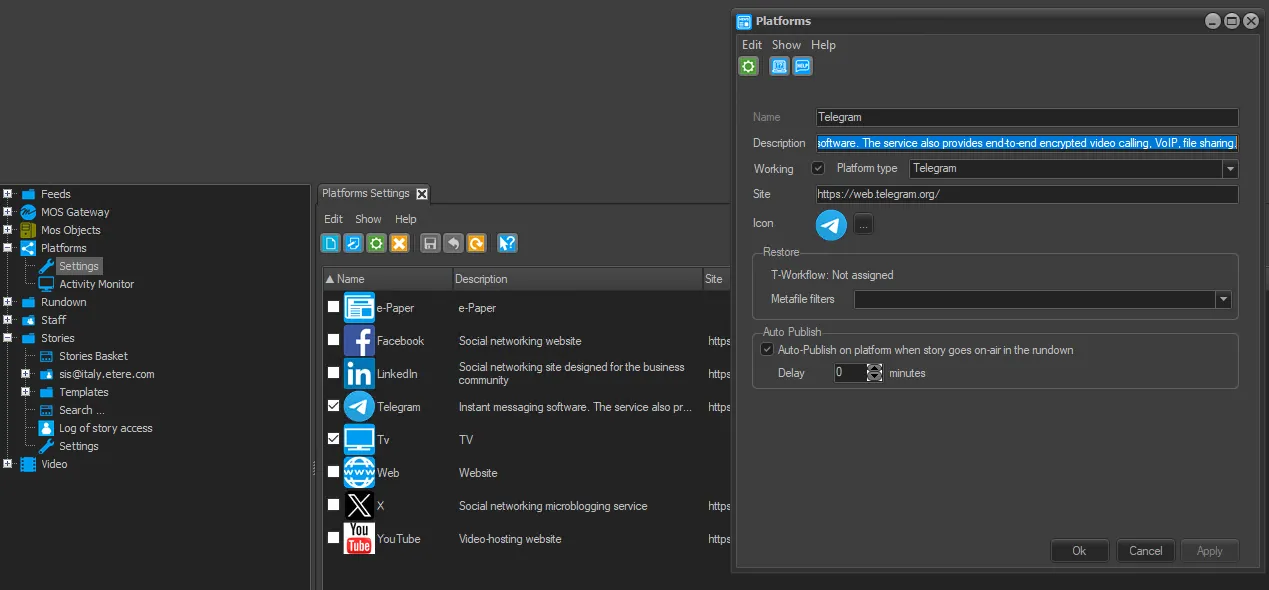 Platform_Example
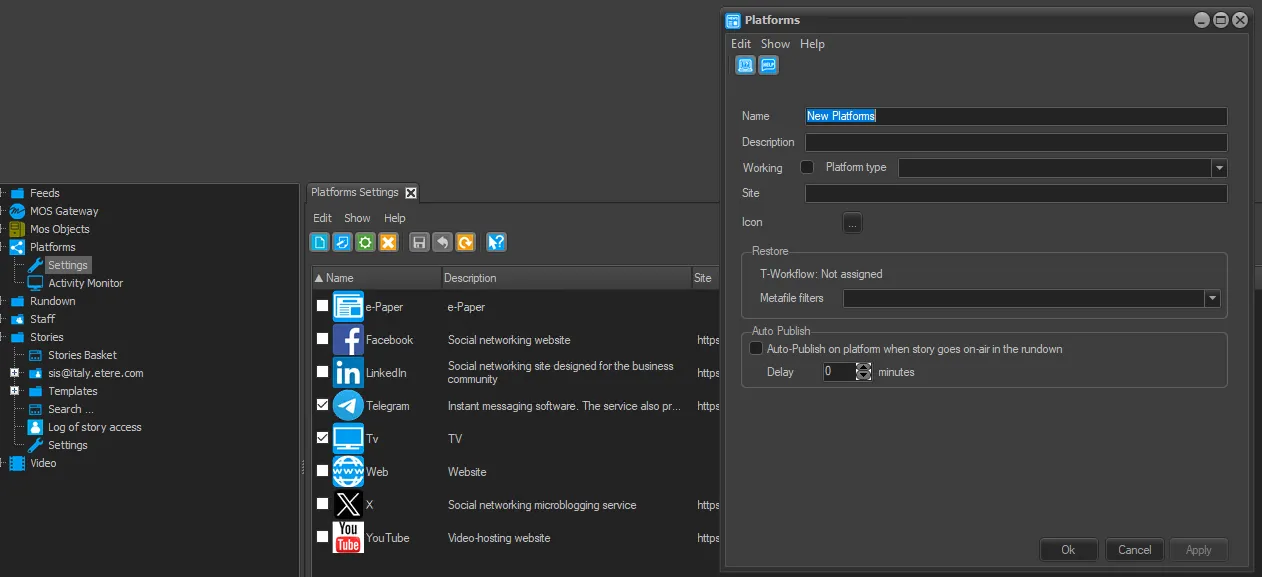 New_Platform