72.2.1.2 Standard Asset Creation
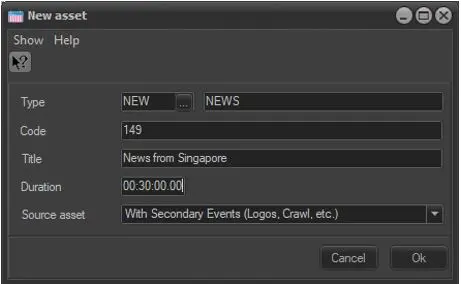
This simplified form for assets creation appears each time the [New Asset Form] button is pressed. This form allows to easily create an asset indicating only its key information which includes the following fields:
New Asset Form
Type: This field specifies the category to which the asset belongs to (e.g.: spot, news, season, etc);
Code: It's the identification code of the asset, it's automatically generated (as set under Etere Configuration | Settings | Basic | Media Library | Codes), being however possible to alter it;
In case a code already exists within the system, a message (i.e. "operation failed: asset code already exists) will warn the operator about the issue.
WARNING: You can assign up to maximum of 32 characters for asset code.
Title: Assign a title to the new asset;
Duration: Set the duration for the new asset;
Source asset: In case the selected asset type counts with one or more asset templates (set under Etere Configuration | Settings | Types Editor | Types | Media Library section), here will be possible to select the one to be applied to the asset;
WARNING: An ID number will be automatically assigned, it is a sequence number identifying the order of creation.
 New_Asset_Form