97.12 How to driver an external Router from Etere services
In the Etere environment, ingest services can control external routing systems in order to manage signal switching automatically.
To enable this functionality, all routers must be managed through the Device Controller Service.
This service acts as an interface between Etere services and the physical router, allowing controlled and automated switching operations.
Overview
The Device Controller Service is responsible for:
- Managing communication between Etere services and broadcast routers
- Allowing ingest services to perform automatic routing (input switching)
- Executing switching commands based on ingest configuration or scheduling
Once properly configured, all ingest services can control a router, provided that:
- The router is correctly configured
- The Device Controller Service is active and reachable
Installation
The Device Controller Service must be installed on the server responsible for device control.
Installation Procedure
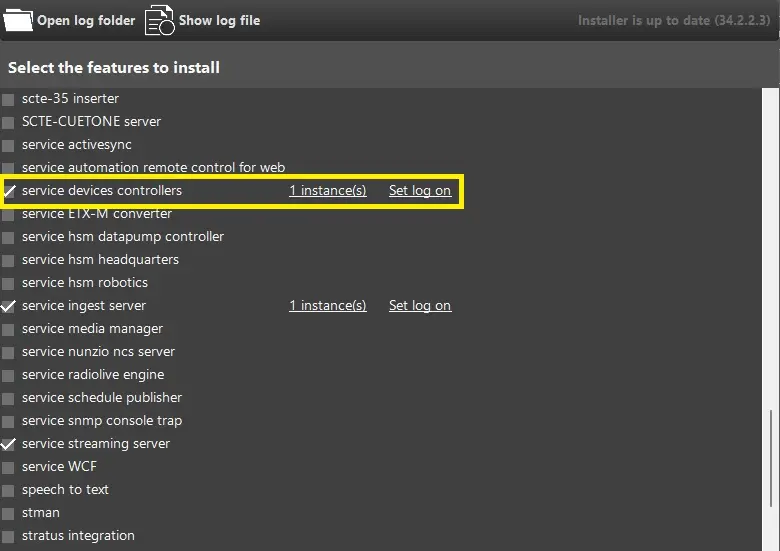
- Open ETERE INSTALL / Etere Update
- Select the component:
Service Device Controllers - Complete the installation
- Configure the service account:
- Set the correct user in Log On
- Ensure the account has the necessary permissions to communicate over the network
- Set the correct user in Log On
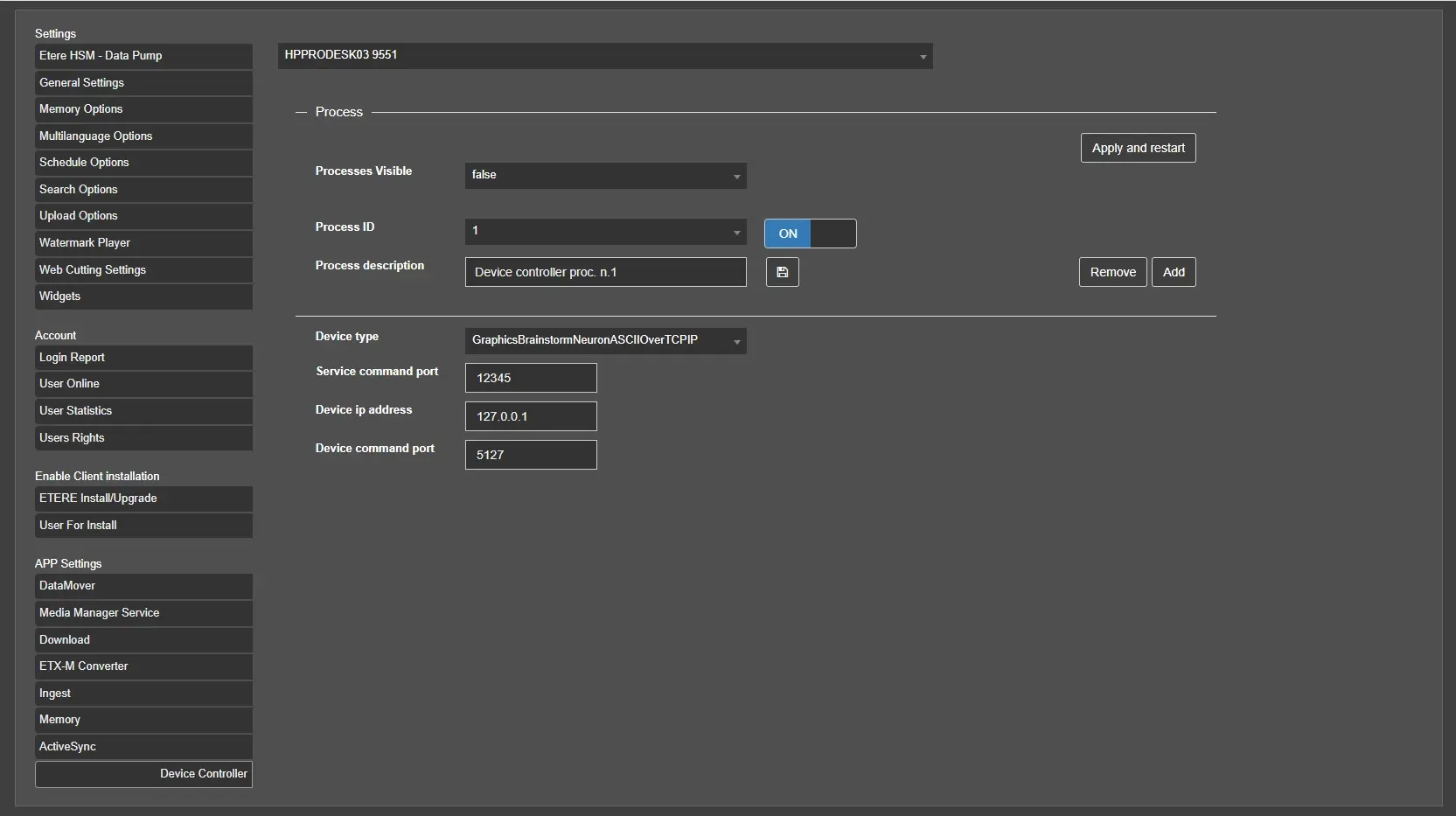
Configuration via Etere Web
After installation, the service must be configured through the Etere Web interface.
Access Path
Navigate to:
User Preferences → Device Controller
Service Configuration
The interface displays all servers where the Device Controller Service is installed.
Steps
- Select the target server from the dropdown menu
- Click ADD to create a new router configuration
- Configure the required parameters
Configuration Parameters
- Process ID
Unique identifier of the service instance - Process Description
Descriptive name for the router control process - Device Type
Select the appropriate router driver, for example:- RouterHarrisPlatinumOverTCPIP
- RouterBlackmagicVideohubOverTCPIP
- RouterHarrisPlatinumOverTCPIP
- Service Command Port
Port used for communication between ingest services and the Device Controller Service - Device IP Address
IP address of the router - Device Command Port
Port used to send commands to the router
Integration with Ingest Services
Once configured, the Device Controller Service allows ingest services to:
- Automatically switch router inputs before recording
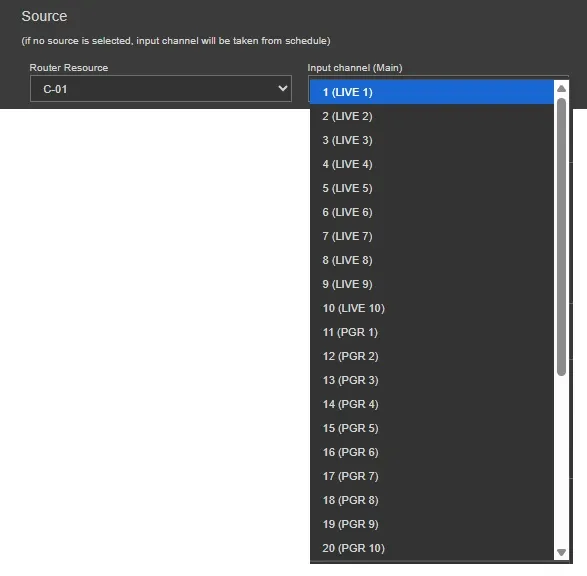
- Route the correct signal to the ingest channel
- Execute routing commands based on manual or scheduled ingest operations
This ensures that the correct video source is always connected to the ingest channel without manual intervention.
Key Notes
- The Device Controller Service is mandatory for router control operations
- Each router must be correctly configured with valid network parameters
- Communication ports must match across:
- Ingest Service
- Device Controller Service
- Router
- Ingest Service
Summary
The Device Controller Service enables centralized and automated control of broadcast routers within the Etere ecosystem. By configuring this service, ingest operations can dynamically manage signal routing, ensuring accurate and efficient acquisition workflows without manual switching.
 Device_controller_settings
 Install_device_controller
 SourceList