97.7 How to configure the service to manage the SCHEDULED recordings
In addition to manual recordings performed through the Etere Multichannel Ingest Client, ingest services can also be used to execute scheduled recordings, allowing fully automated ingest operations based on predefined timing and configuration.
Overview
Scheduled ingest enables the system to automatically:
- Start recordings at a defined time
- Stop recordings at a defined time
- Assign recordings to specific ingest services
This automation is managed by a dedicated Windows service called:
MultiIngest Broker Service
MultiIngest Broker Service
The MultiIngest Broker Service is the evolution of the previous Scheduled Ingest Broker module. It operates as a Windows service without a graphical interface and is responsible for managing all scheduled ingest operations.
The service works by reading the configuration of ingest services and their associated schedules, then automatically executing recordings based on those parameters.
How It Works
The broker service relies on the ingest service configuration files (XML) to determine:
- Which ingest service must handle the recording
- Which channel is assigned to the schedule
- When the recording must start and stop
Based on this information, the broker generates its own scheduling configuration files:
- Source XML:
Etere.Ingest.ServiceX.xml - Generated schedule XML:
Etere.Ingest.Service.Schedule_X.xml
All configuration files are stored in: C:\ProgramData\Etere\Ingest.Service
Installation Requirements
The MultiIngest Broker Service must be installed on the server where ingest services are running.
Key Rules
- Only one instance per server is required
- The service manages all scheduled ingest operations for that server (and optionally others)
Installation Procedure
To install the service:
- Open ETERE INSTALL
- Select the component: SERVICE MULTIINGEST BROKER
- Complete the installation
- Configure the service account:
- Click on Set Log On
- Assign a valid domain user
- Ensure the user has appropriate permissions (database, services, storage access)
- Click on Set Log On
Configuration of Scheduled Ingest
Scheduled recordings are configured via Etere Web, where:
- Each ingest service is assigned a Scheduled Ingest Channel
- The schedule defines:
- Start time
- Stop time
- Target service/channel
- Start time
The broker service continuously monitors these configurations and executes recordings accordingly.
Multi-Workstation Support
In newer versions, the MultiIngest Broker Service can:
- Manage scheduled recordings across multiple workstations
- Automatically detect all available ingest services in the network
To enable this:
- Configure the Scheduled Ingest Channel in the ingest service
- Specify the Station (workstation) where the service is running
Example
- Channel001 → Ingest service on Workstation_A
- Channel002 → Another ingest service on Workstation_A
The broker will correctly route scheduled recordings to the appropriate service based on this configuration.
The broker service can also run on a different workstation than the ingest services it controls.
Important Notes
within the system, a single BROKER service will manage all Ingest services enabled for scheduled recordings. Therefore, only one service must be installed, and it will control all the others. It is not required for this service to be installed on the Ingest servers; it can be installed on any workstation.
- The broker service has no graphical interface and runs entirely in the background
- The BROKER performs a database polling every 15 seconds to check for new scheduled recordings to be managed
- If an XML of an ingest service is updated, the BROKER will read the new changes shortly before executing the first scheduled recording and will update the local XML accordingly, applying the new information to the next available recording.
- The BROKER performs database polling every X minutes and is able to detect and manage newly enabled services configured to execute scheduled recordings; it will also locally import a new XML containing the information for the new channel.
- All configurations must be performed via Etere Web
- Scheduled ingest and manual ingest cannot use the same service simultaneously
- Each ingest service can execute only one recording at a time
Summary
Scheduled ingest in Etere is enabled through the MultiIngest Broker Service, which automates recording operations based on predefined schedules. Installed once per server, the service reads ingest configurations from XML files, generates scheduling instructions, and manages recordings across one or multiple workstations. This ensures reliable, centralized, and fully automated ingest workflows aligned with system configuration.
Important Note:
As stated in previous sections, each individual service can be used exclusively by a single operation at any given time. Since services do not support concurrent usage, particular attention must be paid during the scheduling phase to avoid overlaps between manual recordings, single scheduled recordings, and periodic scheduled recordings.
To assist the user and minimize the risk of human error, the system provides proactive support by generating warning pop-ups that highlight potential conflicts or scheduling issues.
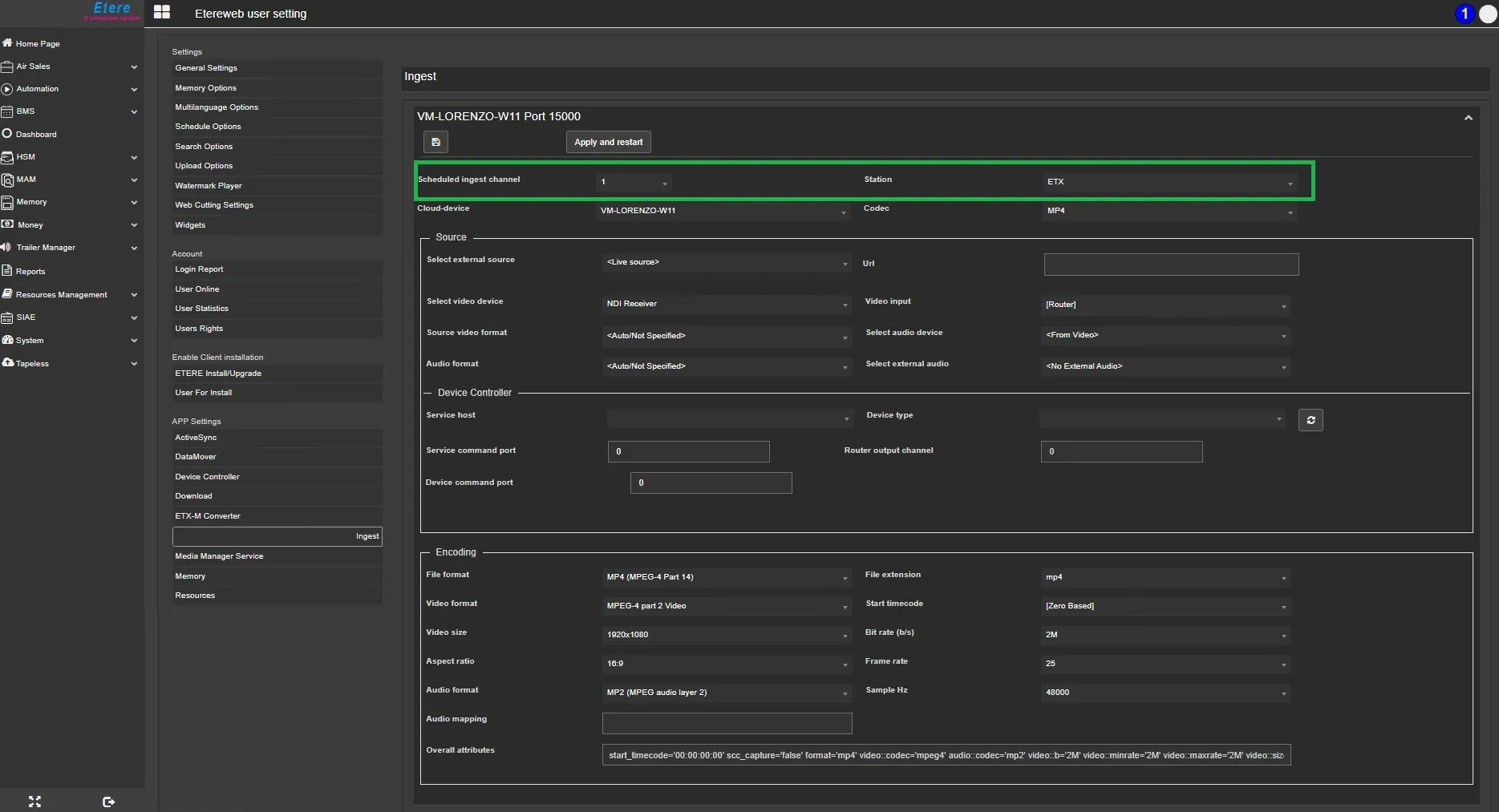 HowToConfigureScheduledIngest
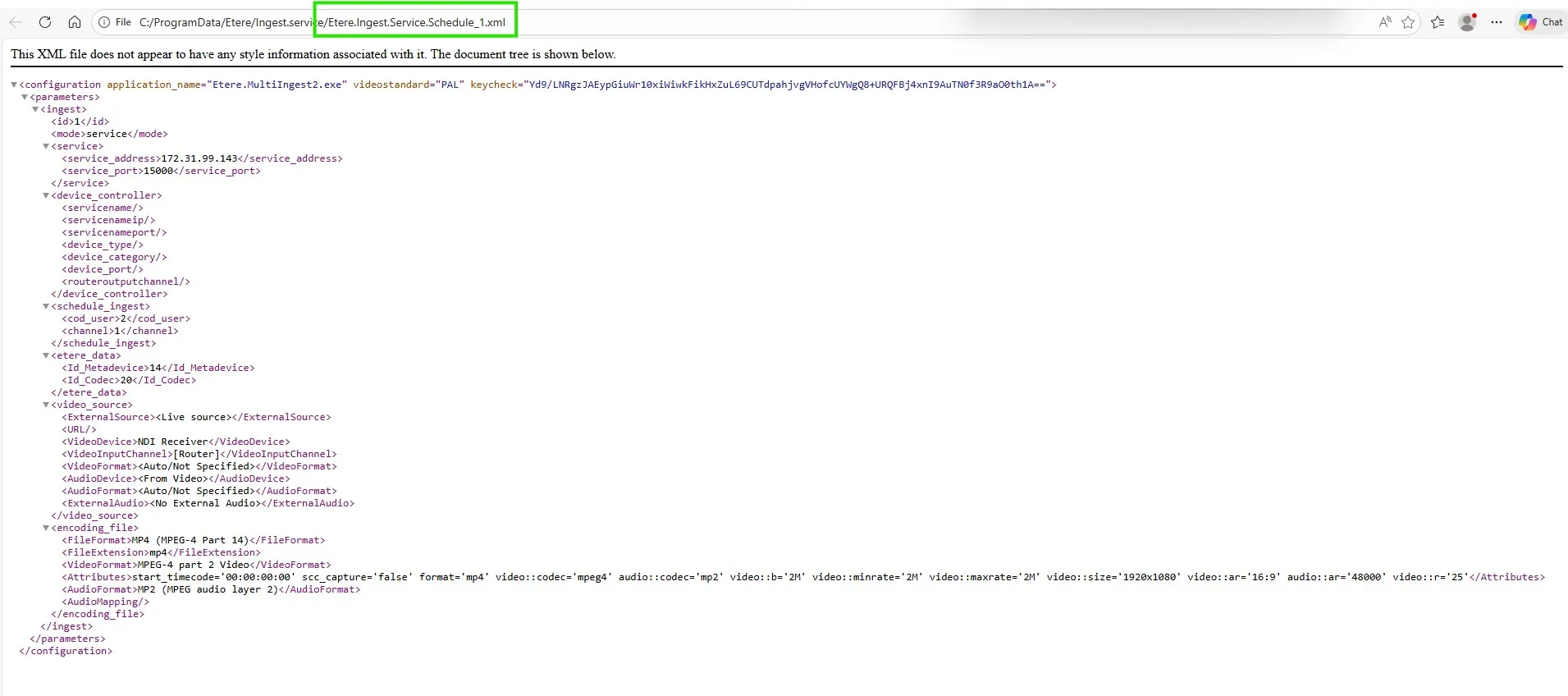 IngestScheduledXMLStructure
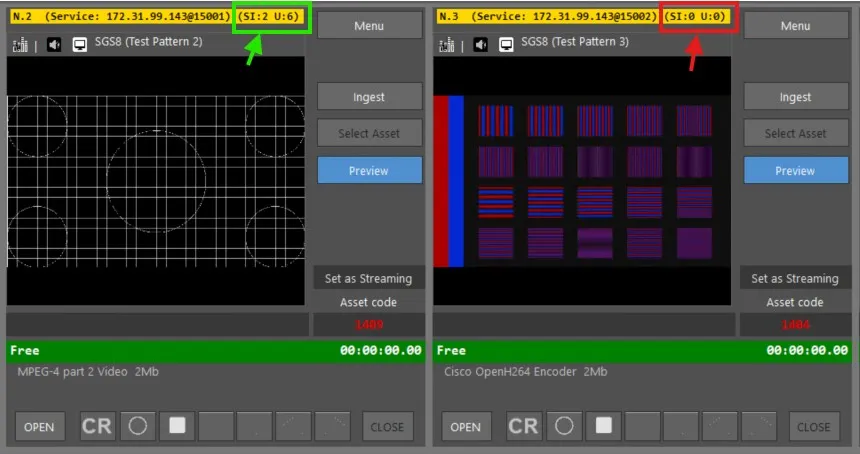 Broker_Service_VS_Not_Broker_Service
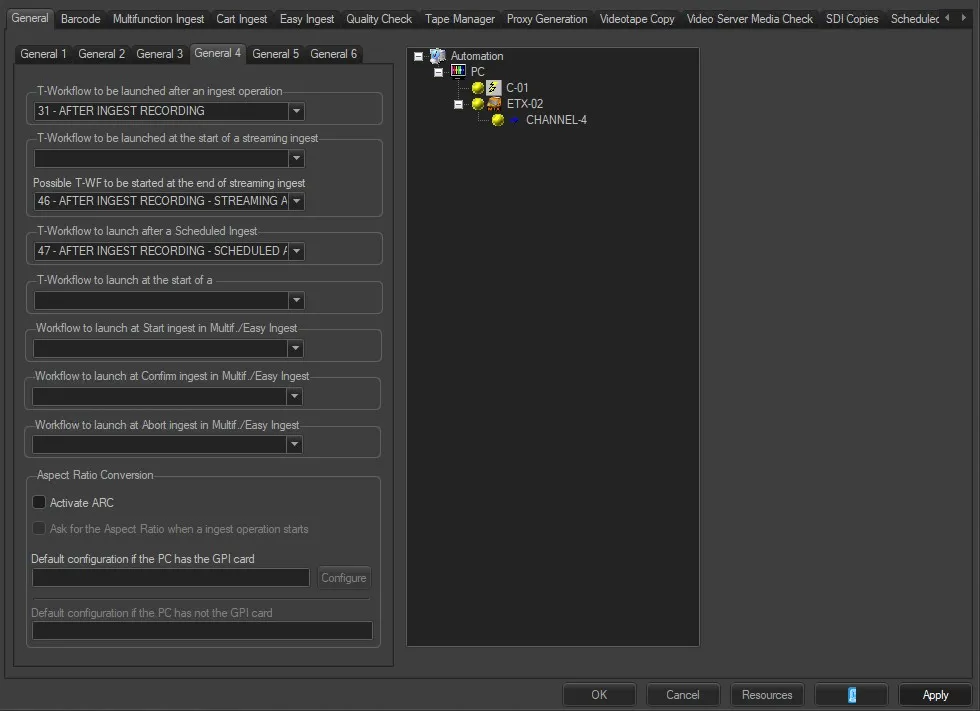 Default_Workflows