97.4 How to configure a CLIENT
First Launch Configuration – Etere Multichannel Ingest Client
When the Etere Multichannel Ingest Client is launched for the first time, the application requires an initial configuration step where the available ingest services are mapped to the recording interface.
This setup defines how each ingest service is assigned to one of the available recording channels (forms) within the client application.
Initial Channel Form Setup
At first startup, the system displays a configuration window where up to 8 channel input forms can be defined for recording operations.
Each form represents a dedicated recording channel within the client interface.
Service Assignment (Set Service Menu)
From the Set Service menu, the user can view all ingest services available on the network. These services are retrieved from the configuration defined in Etere Web, under:
User Preferences → App Settings → Ingest
Each service listed can be assigned to one of the available forms (channels) in the client.
This linking process determines which service is used by each recording form in the Multichannel Ingest interface.
Service Linking Behavior
When a service is assigned to a form, the application requires a restart to apply the configuration.
The following message is displayed:
“To apply the changes you need to restart the application. Restart now?”
- If Yes is selected: the application restarts automatically and the configuration becomes active immediately
- If No is selected: the service remains assigned but will become operational only after a manual restart
This mechanism allows multiple services to be configured before restarting the application only once.
Service Unlinking
A service can also be removed from a form. In this case:
- The application requests confirmation before unlinking
- Once confirmed, the service is detached from the selected form
- A restart may be required to fully apply changes
Manual Restart Option
The application can also be restarted manually at any time via:
File Menu → Restart
This ensures flexibility when managing multiple service assignments.
Service Availability Rules
- Each ingest service can be assigned to only one form at a time per workstation
- If a service is already assigned elsewhere, the system displays the message:
“Service already used”
- In this case, the service must be unlinked before reassignment is possible
Multi-Client Usage Constraint
Each ingest service can process only one recording at a time, regardless of how many clients it is assigned to.
If a service is already active on one workstation or used in scheduled ingest:
- The service status will appear as Running
- New recording attempts from other clients will be blocked
This ensures exclusive control of each ingest channel during active operations.
Summary
At first launch, the Etere Multichannel Ingest Client requires a mandatory configuration phase where ingest services are assigned to up to 8 available channel forms. Services are selected from the network list, linked to individual forms, and activated through a controlled restart process. This structure ensures precise mapping between services and recording channels while maintaining strict single-use control over each ingest instance.
Important Note1:
Multiple clients can connect to the same service; however, only one client at a time is permitted to control it.
For example, Client1 and Client2 may both connect to Service SRV1, but only one of them can use it for manual recordings at any given time. The system will indicate when a service is already in use by another client.
This behavior applies to all recording types (Manual, Single, and Periodic). The system performs checks to detect potential overlaps and provides a countdown indicator showing when the next scheduled recording will start. This ensures that manual recordings can only be performed within the available time window before a scheduled recording begins.
For instance, if the current time is 15:00 and the countdown indicates that a scheduled recording will start at 17:00, one or more manual or additional scheduled recordings can be executed within the available time window from 15:00 to 16:59:59. At 17:00, any ongoing operations will be automatically stopped, and priority will be given to the scheduled recording.
Important Note2:
The Multichannel Ingest Client performs periodic database polling every X minutes to detect any updates to the XML configuration. As a result, it automatically refreshes the local XML file used to retrieve the information required to execute recordings.
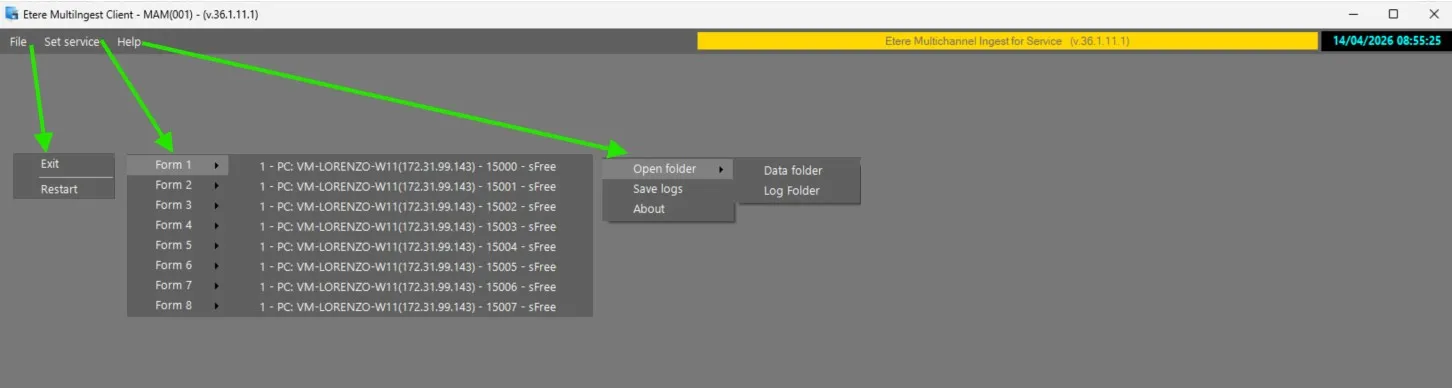 Etere_MultiIngest_Client_-_Toolbar
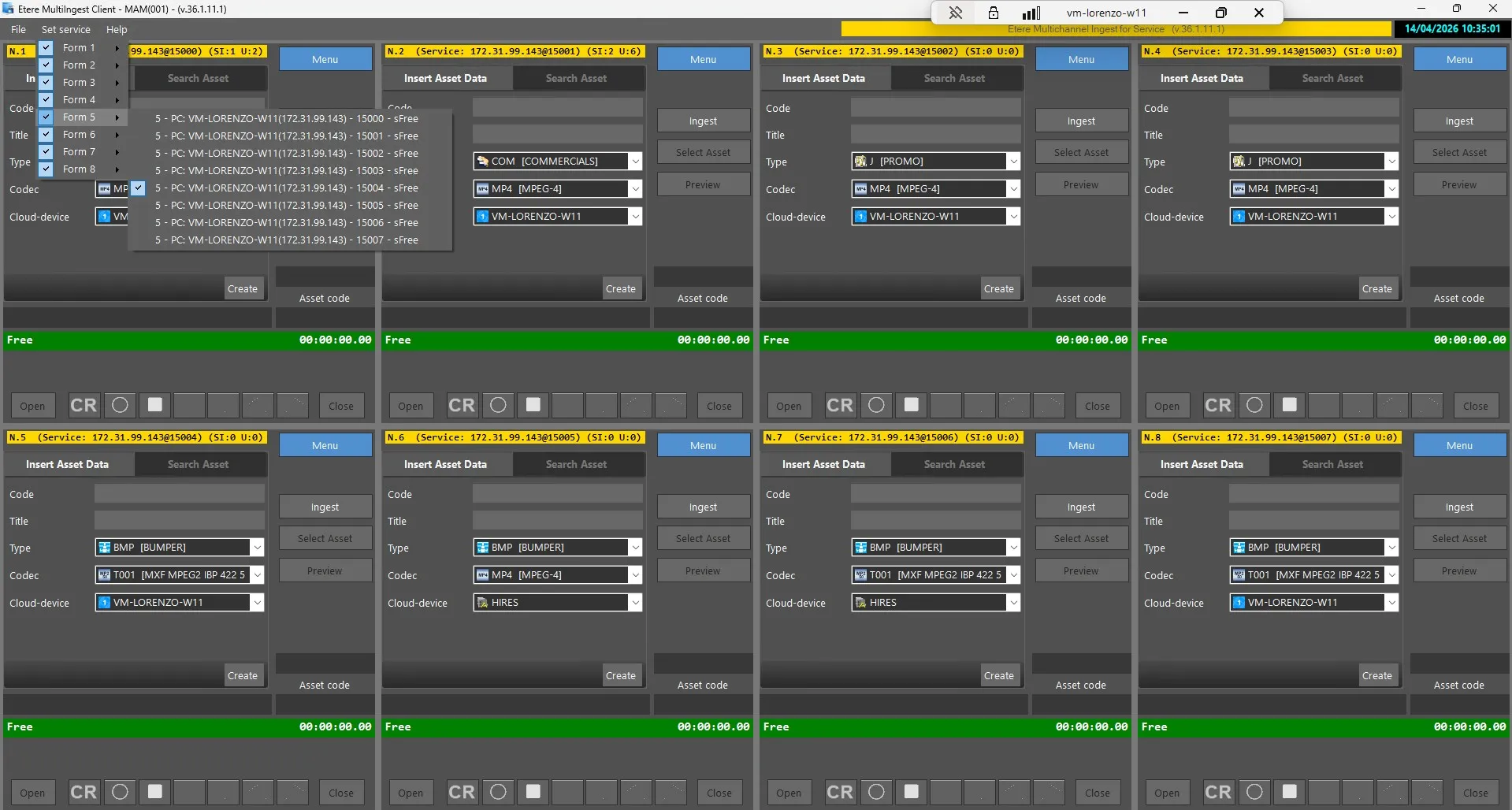 AssignedForms
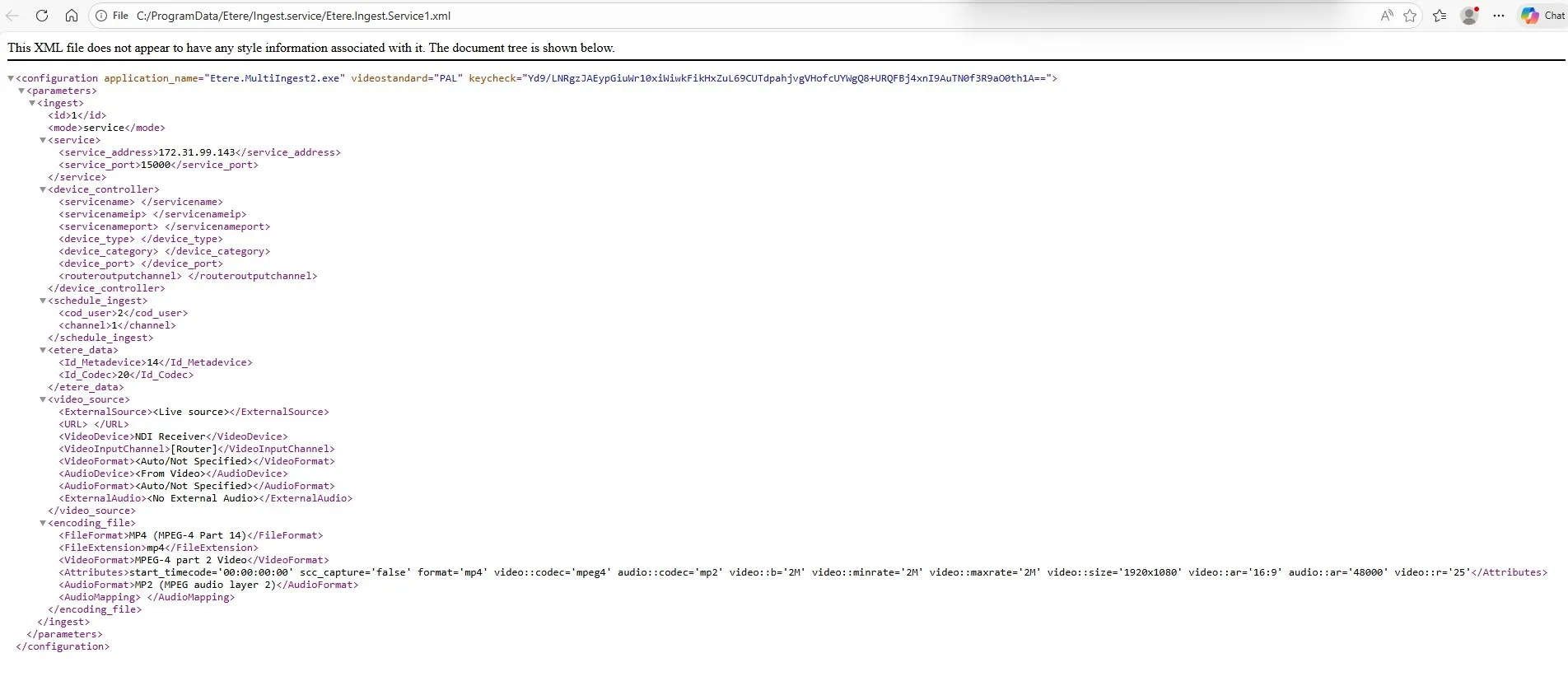 IngestXMLStructure
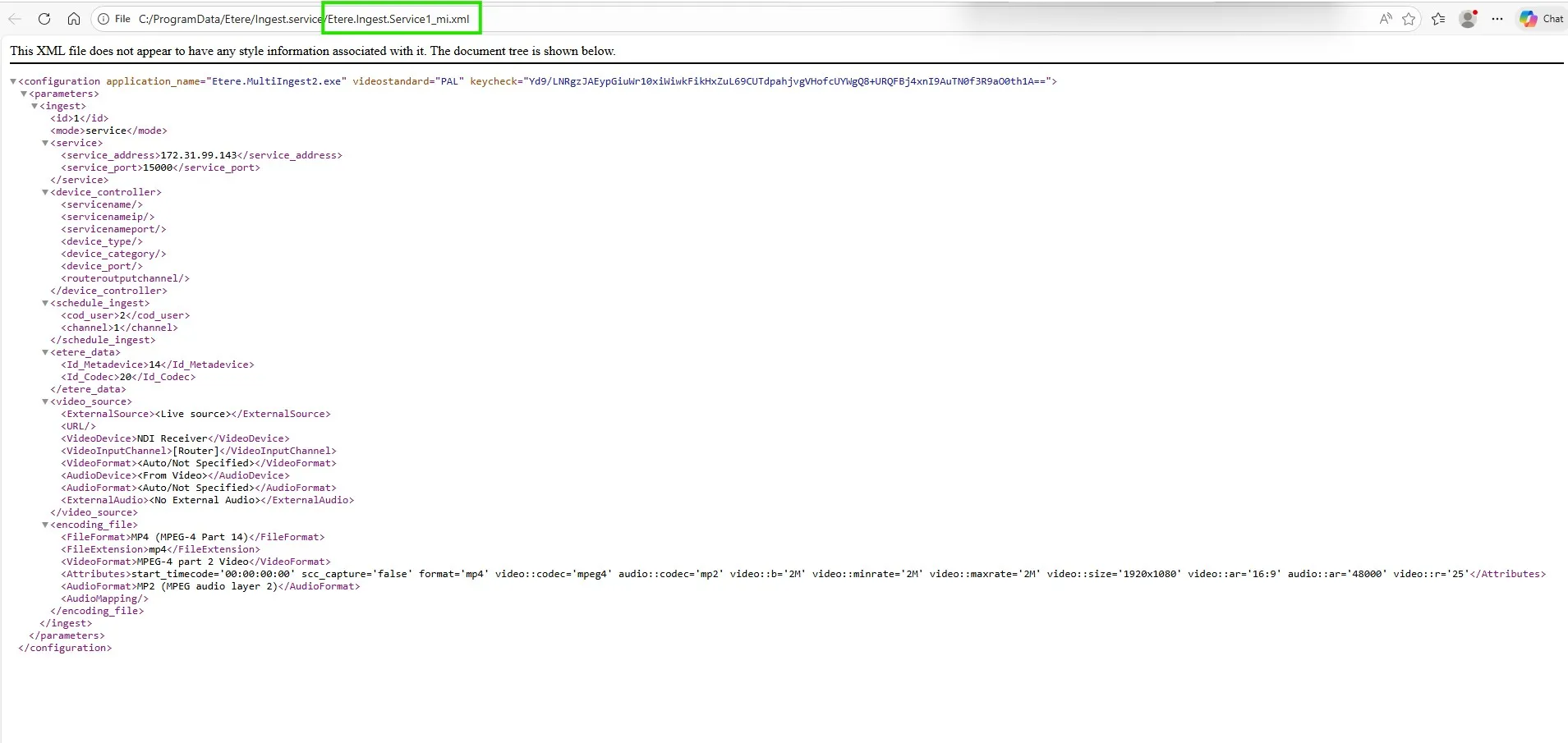 IngestClientXMLStructure