97.3 How to install a CLIENT
The Etere Multichannel Ingest Client is the user interface component used to manage and operate ingest workflows within the Etere system. Its installation requires selecting specific Etere features during the setup process to ensure full integration with both the client application and the supporting ingest services.
Installation Procedure
During the Etere installation process, the following features must be selected:
- Multichannel Ingest Client
Installs the Etere Multichannel Ingest Client application used for ingest operations and monitoring.
Client Application
Once the installation is completed, the client application is launched via:
Windows Start Menu → Etere Multichannel Ingest Client
This action executes the application binary:
Etere.Multiingest2.exe
located in the main Etere installation directory.
The client provides the user interface for ingest control, monitoring, and interaction with configured services.
XML Configuration Management
Once the application is launched, it must be configured as described in the following chapter.
At startup, the client manually configure the CLIENT by importing information from the XML files generated by the ingest services installed on the server. These XML files define all service parameters, including input configuration, encoding profiles, and operational behavior.
During this process, the XML files are also imported locally on the client machine and stored in:
C:\ProgramData\Etere\Ingest.Service
Client-side configuration files are saved using the following naming convention:
- Server service XML:
Etere.Ingest.ServiceX.xml - Client imported XML:
Etere.Ingest.ServiceX_mi.xml
The _mi suffix identifies the file as a Multichannel Ingest client-managed instance.
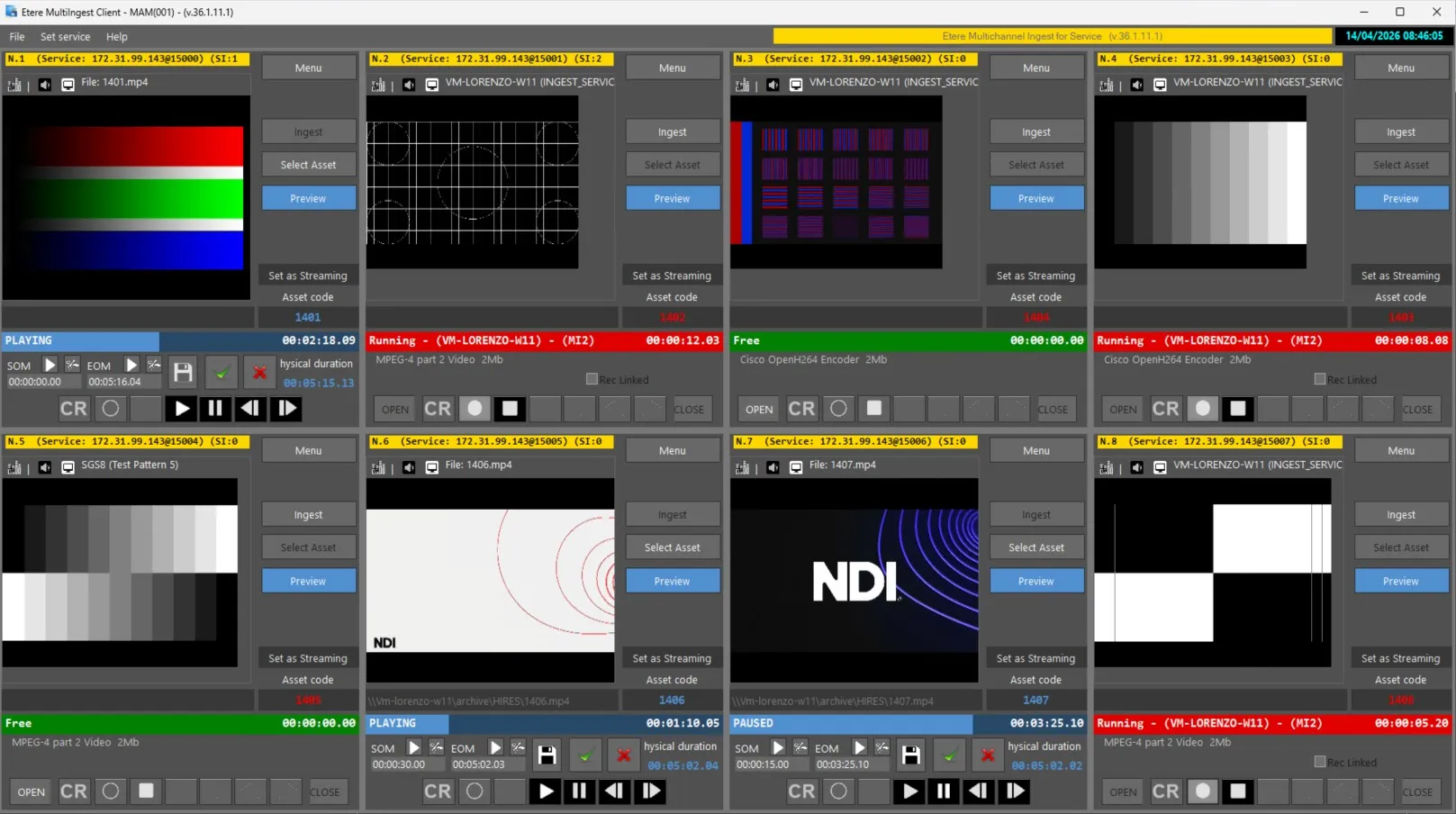
Once the configuration has been completed inside the application, all available ingest services will be displayed in a dedicated control window. From this interface, each service can be individually monitored and operated in real time.
This structure allows the client to fully control all configured ingest services directly from the application, while maintaining synchronization with the server-side configuration.
Service Representation
Each ingest service configured on the server is represented within the client interface as an independent controllable instance. After configuration, all services appear in a dedicated management form, where operators can:
- Start and stop services
- Monitor ingest status
- Access real-time operational feedback
- Manage individual service behavior
Summary
The Etere Multichannel Ingest Client must be installed alongside the required service components to ensure full system functionality. Upon launch allows operators to manage all ingest services from a centralized interface. This ensures seamless synchronization between server configuration and client-side control.
 Using_Etere_MultiIngest_Client