97.9 How to use a Client for Periodical Recordings
In addition to single recordings, the Etere Scheduled Ingest module allows the configuration of periodical ingest operations, enabling automatic recurring recordings based on a defined schedule.
This feature is designed for repetitive ingest tasks, such as daily programs or weekly feeds, ensuring consistent and automated acquisition without manual intervention.
Creating a New Periodical Recording
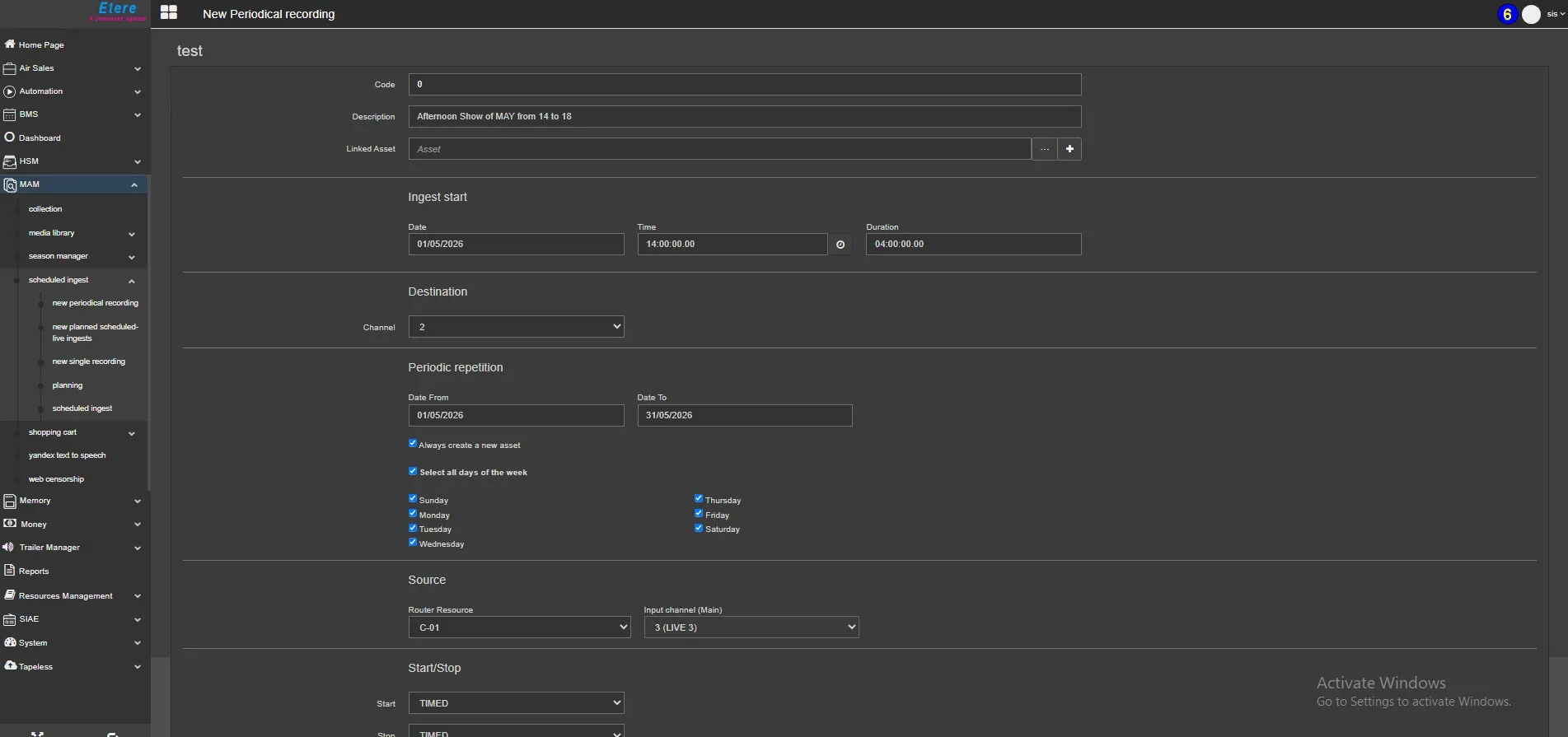
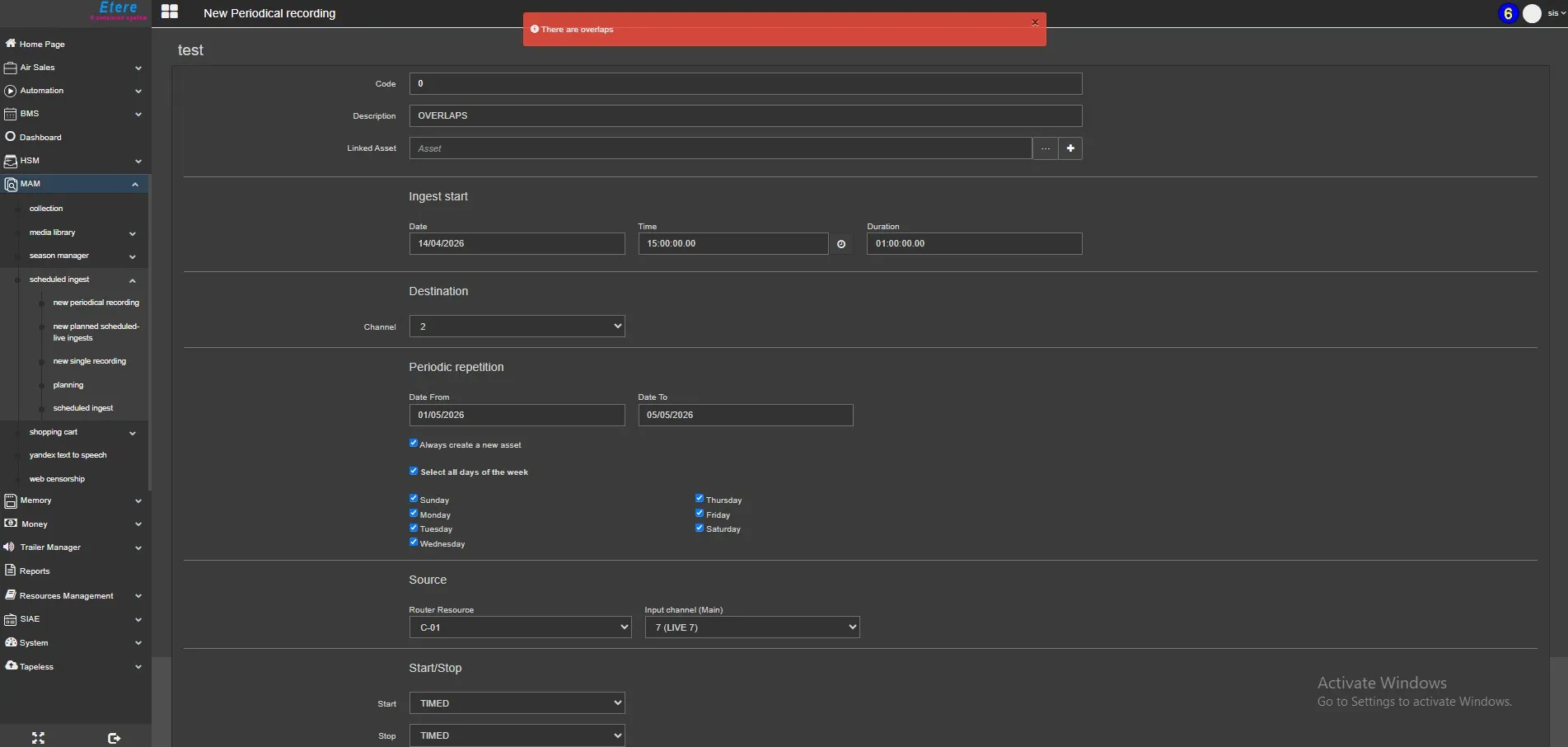
The New Periodical Recording function allows you to define an ingest operation that repeats over time according to specific rules. There is a control in the user code selected, so the system shows you only the channel can be used by the channel selected based on Scheduled recordingds parameters.
General Parameters
- Code
This field is automatically managed by the system and always displayed as “0” during configuration.
A valid code is automatically assigned when the ingest record is saved. - Description
A short text used to identify the scheduled operation. - Linked Asset
Associates the ingest operation with an asset:- Select an existing asset from the database
- Or create a new asset directly and assign it
- Select an existing asset from the database
Ingest Start Configuration
Defines the base timing of the recording:
- Date
Indicates the initial date when the schedule begins - Time
Defines the start time of each recording - Duration
Specifies the duration of each ingest session
Destination Settings
- Channel
Defines the ingest channel (service) that will execute the recording
Periodical Repetition
This section defines how the ingest operation is repeated over time:
- Date From – Date To
Specifies the overall time range during which the recurring ingest will be active - Days of the Week
Select one or more days when the ingest should be executed
The configured schedule will repeat weekly on the selected days until the defined end date or until modified.
Source Configuration
- Router Resource
Specifies the routing resource used for the ingest signal - Input Channel (Main)
Defines the input channel used for recording
Start / Stop Conditions
The ingest operation can be controlled in two ways:
- Start Options
- Fixed scheduled time
- External trigger via GPI signal
- Fixed scheduled time
- Stop Options
- Fixed scheduled time
- External trigger via GPI signal
- Fixed scheduled time
This allows integration with both time-based and event-driven workflows.
Saving the Configuration
After defining all parameters:
- Click the <Save> button
- A confirmation message will appear to confirm successful configuration
Managing Periodical Ingests
Once saved, the configured operations are available in the main Scheduled Ingest page under:
Planned Periodical Ingests
From this section, users can:
- View all recurring ingest operations
- Edit existing schedules
- Monitor planned activities over time
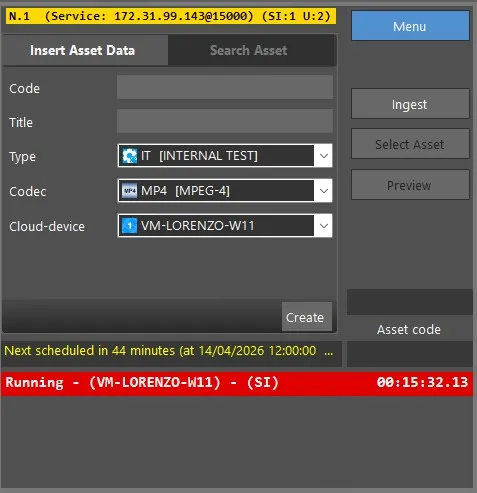
To STOP or EXTEND a running scheduled operation you can do it by reducing\increasing its duration via the web interface.
For example, if the duration set for the scheduled recording is 4 hours and you wish to stop it after 2 hours, you can access the web interface and change the duration by entering a value lower than the one currently rec duration, then save the changes. Once you have done this, the recording will stop automatically. VIceversa to extend the duration, you simple increase the value from 4h to 6h for example.
Summary
The Periodical Recording feature extends Scheduled Ingest capabilities by enabling recurring ingest operations based on weekly patterns and defined date ranges. By combining timing, repetition rules, and channel assignment, it provides a powerful tool for automating repetitive ingest workflows with precision and reliability.
 NewPeriodicalRecording
 ScheduledIngestPeriodical
 OverlapsPeriodical
 ScheduledRecordingInProgress_CountdownToNext