Security considerations
1.3.6.1 Disabling UAC on Windows Server 2012
In Microsoft Windows 2012 Server, to access Etere Configuration in administrator mode, administrators are required to disable the UAC (User Account Control) as explained in the steps below:
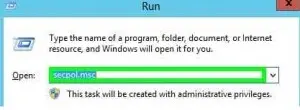
1. Open "Local Security Policy" by running "Secpol. msc" in the command line:
Secpol-msc
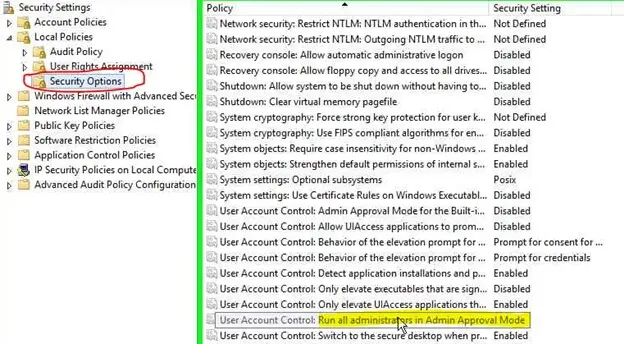
2. Go to Local Policies -> Security Options:
Run_all_Administrators_in_admin_approval_mode
3. On the right panel, scroll down to "User Account Control: Run all administrators in admin approval mode".
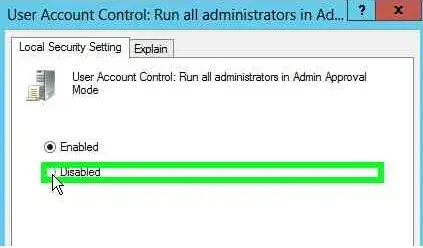
4. Change the setting to "Disabled":
Change_the_setting
5. Restart the server to make changes take effect.
 Secpol-msc
 Run_all_Administrators_in_admin_approval_mode
 Change_the_setting