ETX-G Graphics Editor
66.5.1 Prerequisites
The following configuration settings must be in place in order to use ETX-G Graphics Editor.
- In Etere Configuration module, an asset type property “ETX Graphics” and "ETX Scenes" must be presence in the "Type" properties.
Configuration_settings_types - In Etere Configuration, a default codec “ETXG” and "ETXS" with property ETX Graphics and ETX Scene must be defined in "Codecs" settings respectively, in order to save the graphics assets and scene projects. You can add more types for scenes and graphics to the list.
Configuration_settings_codec - In Etere Configuration module, a global path must be defined in the server for graphics and scenes objects repository.
Etere_Configuration - Pictures are sent in NDI, hence in Resource Editor, you must create an Etere Router IP resource with the required number of output channels, and customize the IP router in Video Routers configuration.
Resource_etere_router_ipResource_etere_router_ip
 Etere_Configuration
 Configuration_settings_types
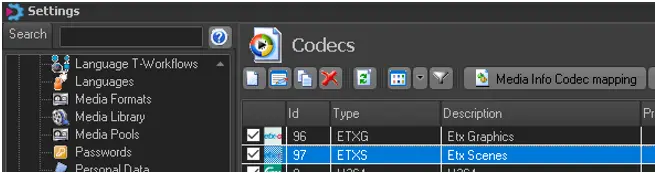 Configuration_settings_codec
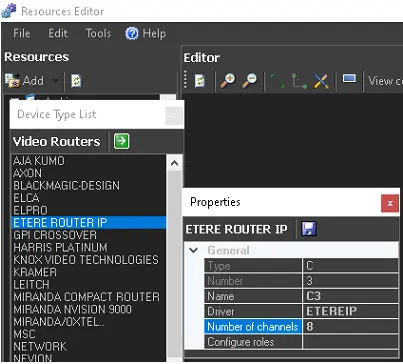 Resource_etere_router_ip