Reporting Service
1.5.2.1 Populate the Reports
Inside Etere, Reports are populated through the software EtereUpdate, just:
- check "Reports Birt" options
- set the repository path
The important prerequisite is the accessibility of that path from Etere Update. If birt reports is on linux side, a possible configuration could be:
sudo nano /etc/samba/smb.conf
_________________ place this configuration on botton of the smb.conf file
[BirtReports]
comment = Birt folder
path = /var/lib/tomcat10/webapps/birt/
read only = no
browsable = yes
guest ok = yes
force guest = yes
create mask = 0777
directory mask = 0777
__________________
sudo chown -R nobody:nogroup /var/lib/tomcat10/webapps/birt/
sudo chmod -R 777 /var/lib/tomcat10/webapps/birt/
note: this configuration would allow public access (guest user = ok and permissions 777 so read , write and execute for all). If you need to manage accesses you can act towards samba permissions (guest ok = no and valid users = user1, user2 for example) and/or system side by changing owner and permissions of the folder, but the requisite to be accessible from EtereUpdate remains.
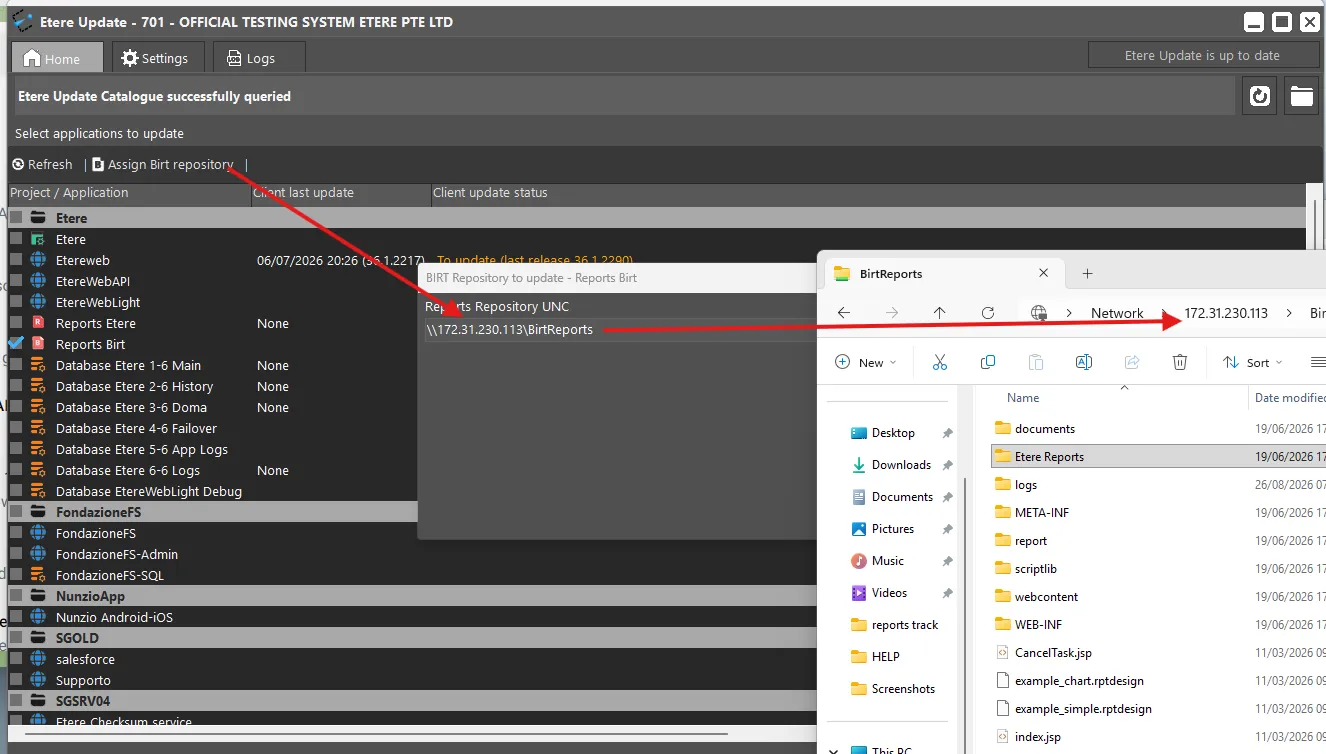 assign_birt_repository
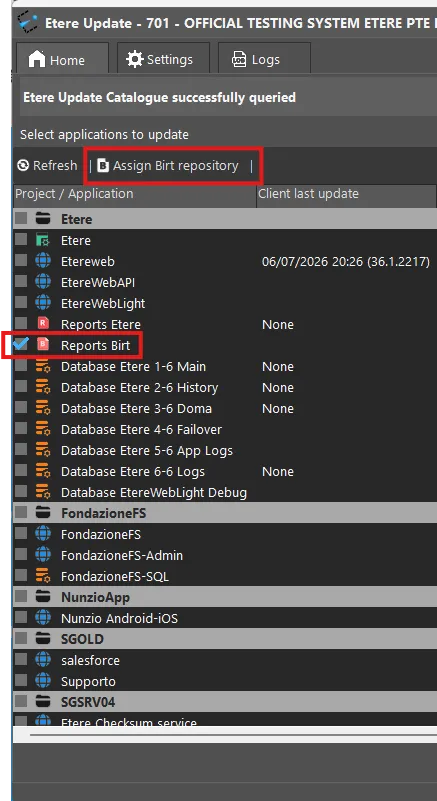 reports_birt