6.1.1 Search Purchase Order
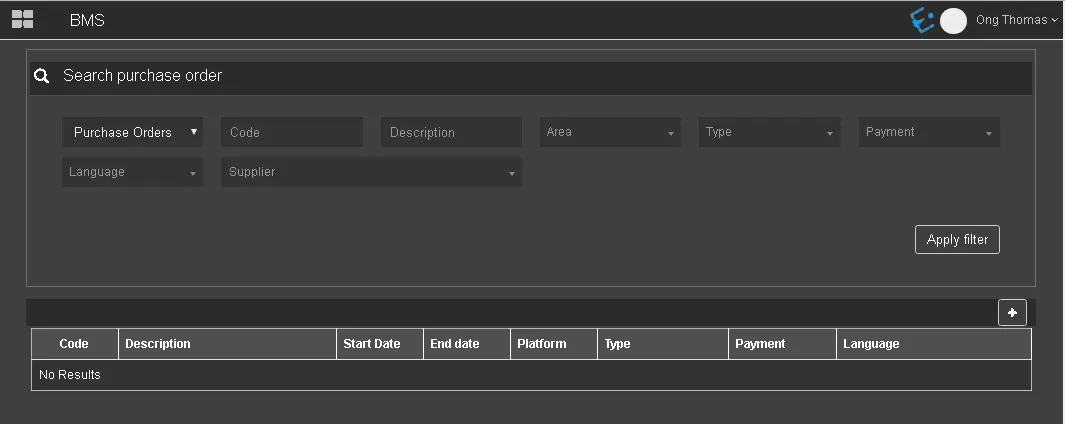
Use the Search function in Etere BMS to filter the contracts matching the filters.
Search_function_in_BMS
• Purchase Orders: Filter the search by purchase orders or delivery orders;
• Code: Filter the orders by their code;
• Description: Search the purchase order by its description;
• Area: Search the purchase orders by their designated area. Linked areas can be created in the Settings section.
• Type: Filter the purchase orders by the type of the linked asset.
• Language: Filter the purchase orders by the language defined in the contract;
• Payment: Filter the search by the payment type defined in the order, e.g. pre-paid, usage, etc.;
• Supplier: Filter the purchase orders by the name of the supplier assigned.
When the desired filters are compiled, click the Apply filter button to extract contracts that match the criteria.
 Search_function_in_BMS