99.1.4.6 Censor Ex - Timelines
The Censor EX - Timelines section provides advanced timeline management functions mainly intended for troubleshooting and debugging purposes.
This area allows authorized users to perform a Timeline Reset operation.
Timeline Reset
The Reset Timeline function clears all censorship operations currently stored in the Timeline.
When this operation is executed:
• All previously performed censorship actions are removed.
• All markers and edits applied to the Timeline are deleted.
• The Timeline returns to its initial state, with no pending censorship operations.
⚠️ Important: The Timeline Reset operation is irreversible. Once executed, all performed operations will be permanently lost.
Usage Recommendation
The Timeline management functions are considered advanced features and should not be used during normal live operation.
The Reset Timeline function should only be performed during:
• Debugging activities.
• System analysis.
• Troubleshooting sessions.
Access and usage are recommended exclusively for:
• Etere technical engineers.
• Authorized administrator users.
Incorrect usage of this function during a live censorship workflow may result in the loss of all scheduled censorship operations currently applied to the Timeline.
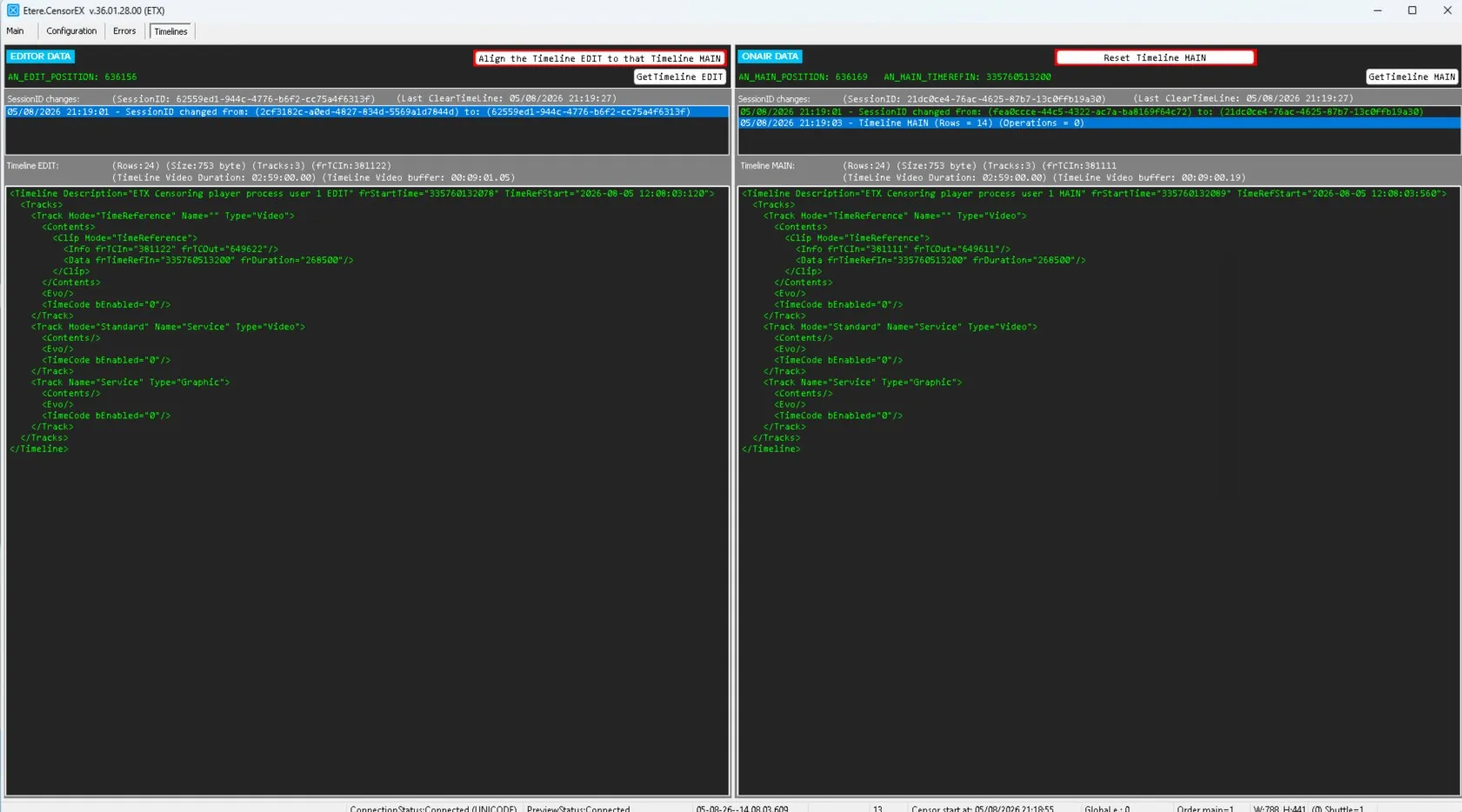 EtereCensorEx_DebugTimeLines