99.1.4 Etere Censor EX Desktop Application
The Etere Censor EX Desktop Application is the operator interface used to monitor, review, and perform censorship operations on live content.
The application communicates with the CENSOR EX background services, receiving the delayed media generated by the Time Delay Service, the processed streams provided by the Live Censorship Service, and the detection suggestions generated by the AutoCensor Service.
Through the desktop application, operators can review the delayed content, manage the censorship buffer, apply edits, and control the final output before it is sent on-air.
Application Workflow
The CENSOR EX desktop application operates as the main control interface of the censorship workflow.
The typical workflow consists of:
1. The Time Delay Service continuously generates the delayed media buffer.
2. The Live Censorship Service manages the delayed content and provides the streams required by the application.
3. The AutoCensor Service analyzes the available media and generates suggested censorship points.
4. The CENSOR EX Desktop Application displays the content, suggestions, and available editing tools to the operator.
5. The operator reviews the detected events and applies or ignores the proposed censorship actions before the final output is transmitted on-air.
User Interface
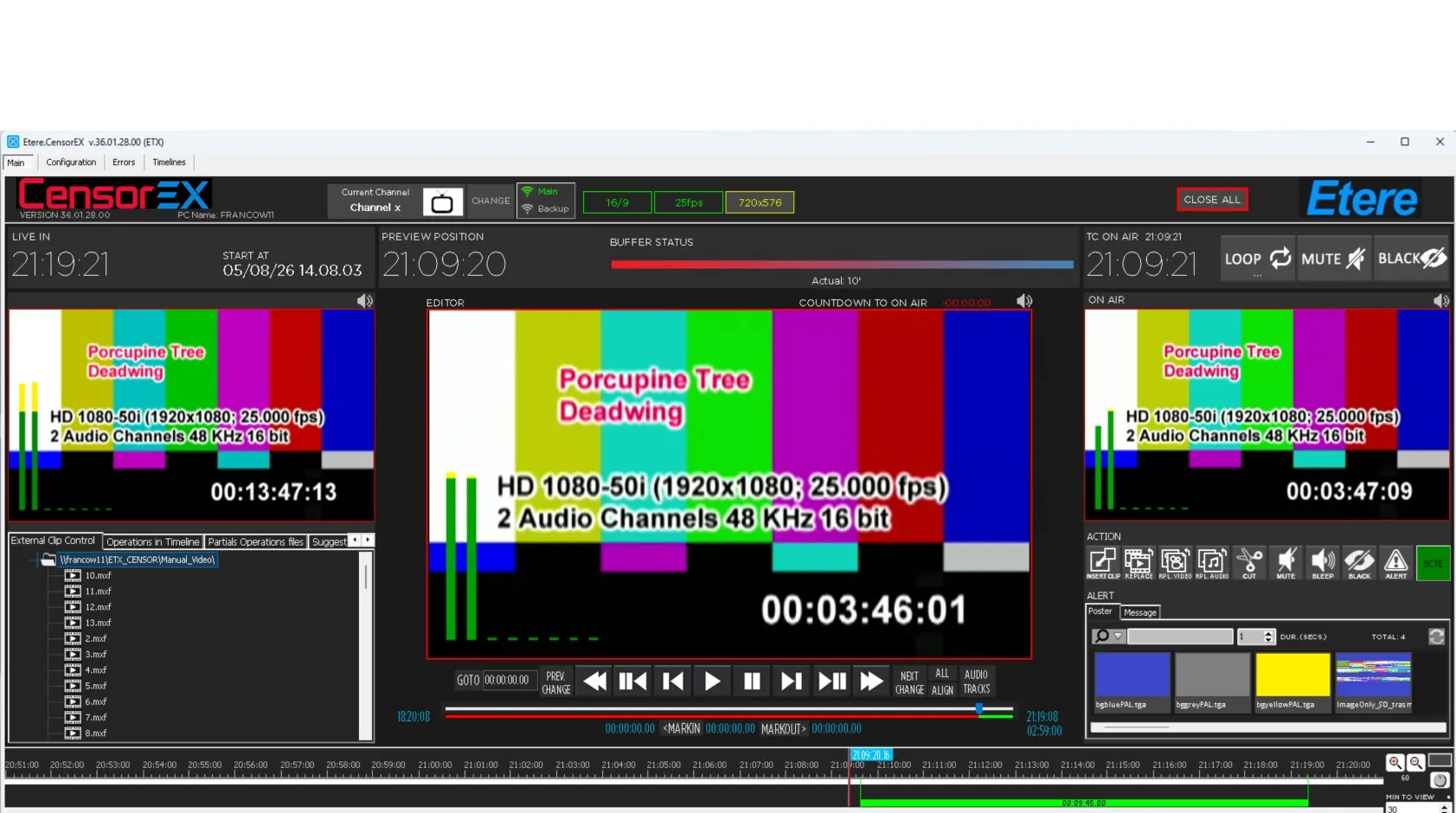
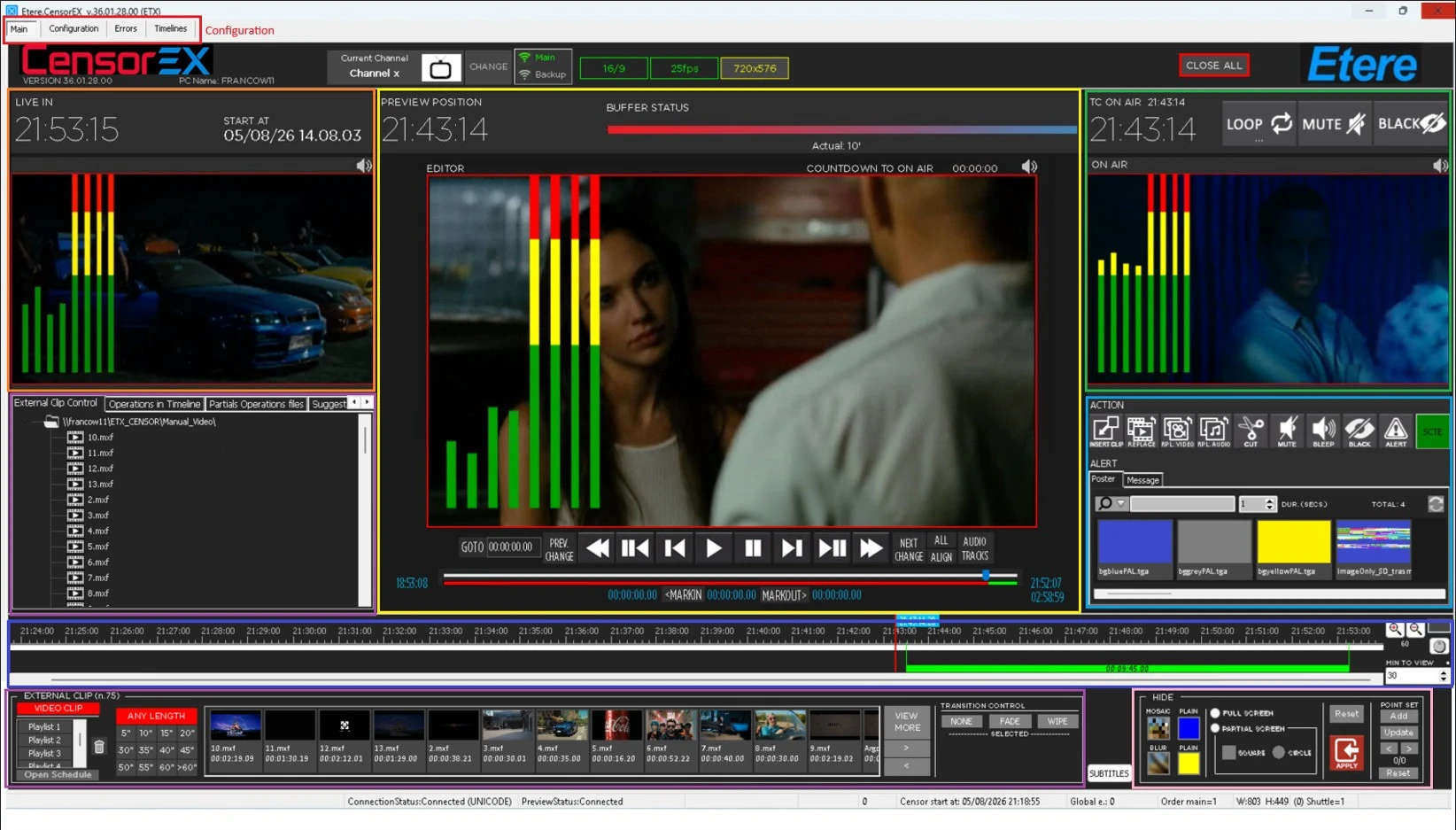
The application interface is designed to provide operators with all the necessary tools for live censorship operations.
The workspace can be customized according to operational requirements, allowing users to organize the available panels and controls according to their preferred workflow.
The main interface areas include:
Video Preview*: Displays the delayed content and allows operators to monitor the signal before transmission.
Timeline: Provides a visual representation of the delayed media, editing points, and AutoCensor detection markers.
Censorship Controls: Provides the commands required to apply censorship actions.
Media Library: Allows operators to access replacement clips and additional media assets.
Status and Buffer Information: Displays the current delay status and service information.
Censorship Operations
Using the CENSOR EX desktop application, operators can perform different types of real-time actions, including:
• Insert replacement clips.
• Replace video segments.
• Delete unwanted content.
• Hide video portions.
• Apply audio mute or bleep.
• Cut the output to black.
• Apply blur or mosaic effects.
• Manage transitions between edited segments.
All operations are performed on the delayed content, ensuring that modifications are completed before the signal reaches the final on-air output.
AutoCensor Integration
When AutoCensor analysis is enabled, the desktop application displays the detected events directly on the timeline.
Operators can review each suggested detection, verify the associated content, and decide whether to apply the proposed censorship action or leave the content unchanged.
Output Management
The final processed signal is provided through the output stream generated by the Live Censorship Service.
The MAIN output is intended for the final on-air workflow, while additional configured outputs can be used according to system requirements.
 EtereCensorEx
 Etere_Censor_Ex_Areas